Red teaming
Find recorded runs and export reports
Find a recorded assessment after leaving its wizard, inspect retained evidence and download the right report. These history and replay actions read existing work; Replay does not execute the assessment again.
Before you start
Section titled “Before you start”Use any signed-in role with access to the organization and know a run code or agent name. Reports require a retained finished run. Some historical records can have terminal evidence without a recorded end timestamp; do not invent a completion time.
Find and inspect a run
Section titled “Find and inspect a run”- Open Assessments to browse saved runs. Use the search/pagination controls and inspect the requested scope, security outcome and execution state.
- Open Replay to explore recorded assessments. Filter displayed runs filters the rows currently shown; use the supplied collection search and pages for broader history. The execution-state and sorting controls change the selection, not the run.
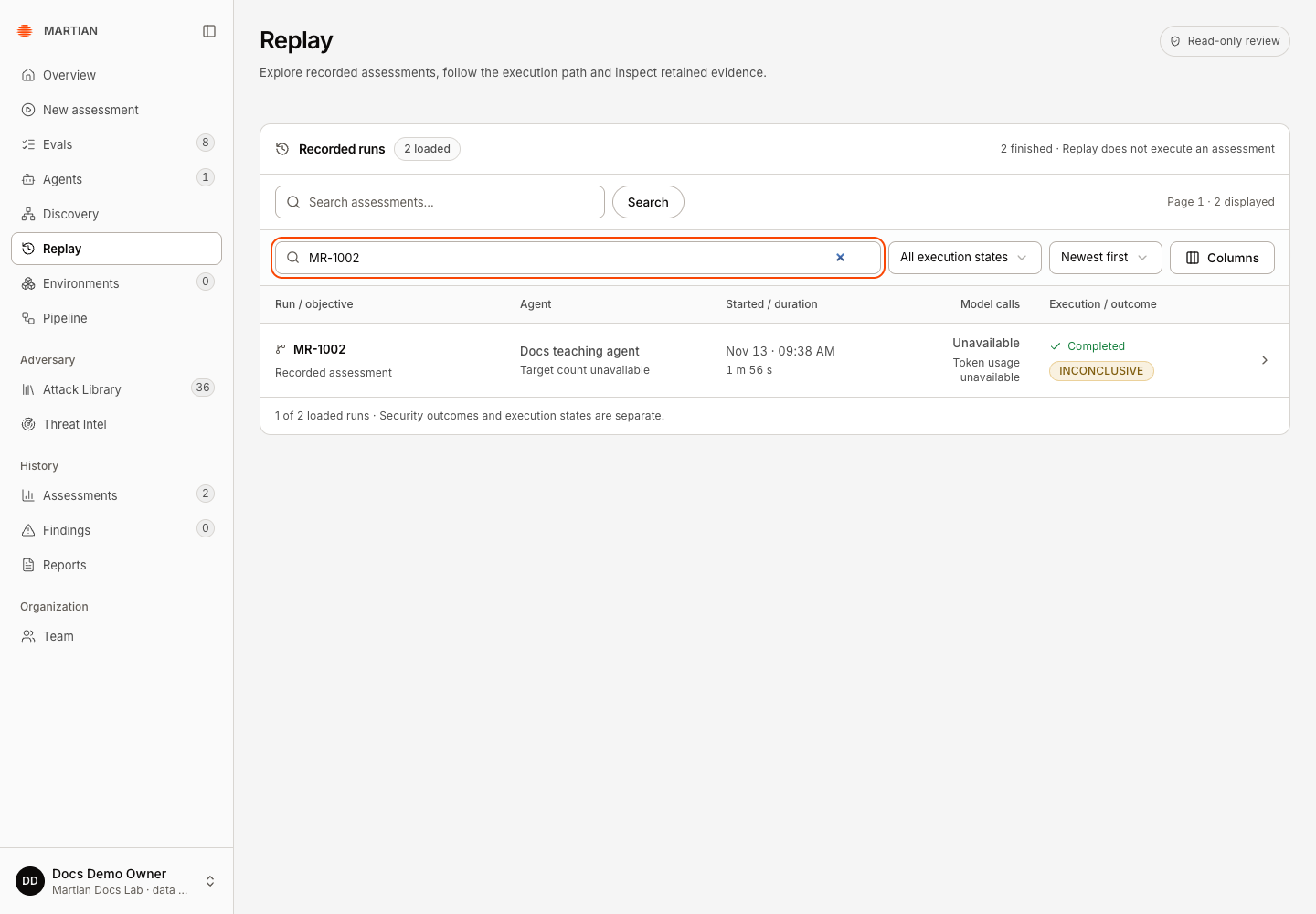
- Select the intended run code, or its open-run arrow. Check the run code and agent before reviewing evidence. Open the appropriate trace/review section and retain its evidence revision when relevant.
- Open Findings for recorded security observations, then follow the associated assessment to inspect its evidence. A title/severity alone is insufficient for verification.
- Refresh the browser and reopen the run. Confirm the final execution state, recorded verdict and retained evidence are still available.
Choose an export
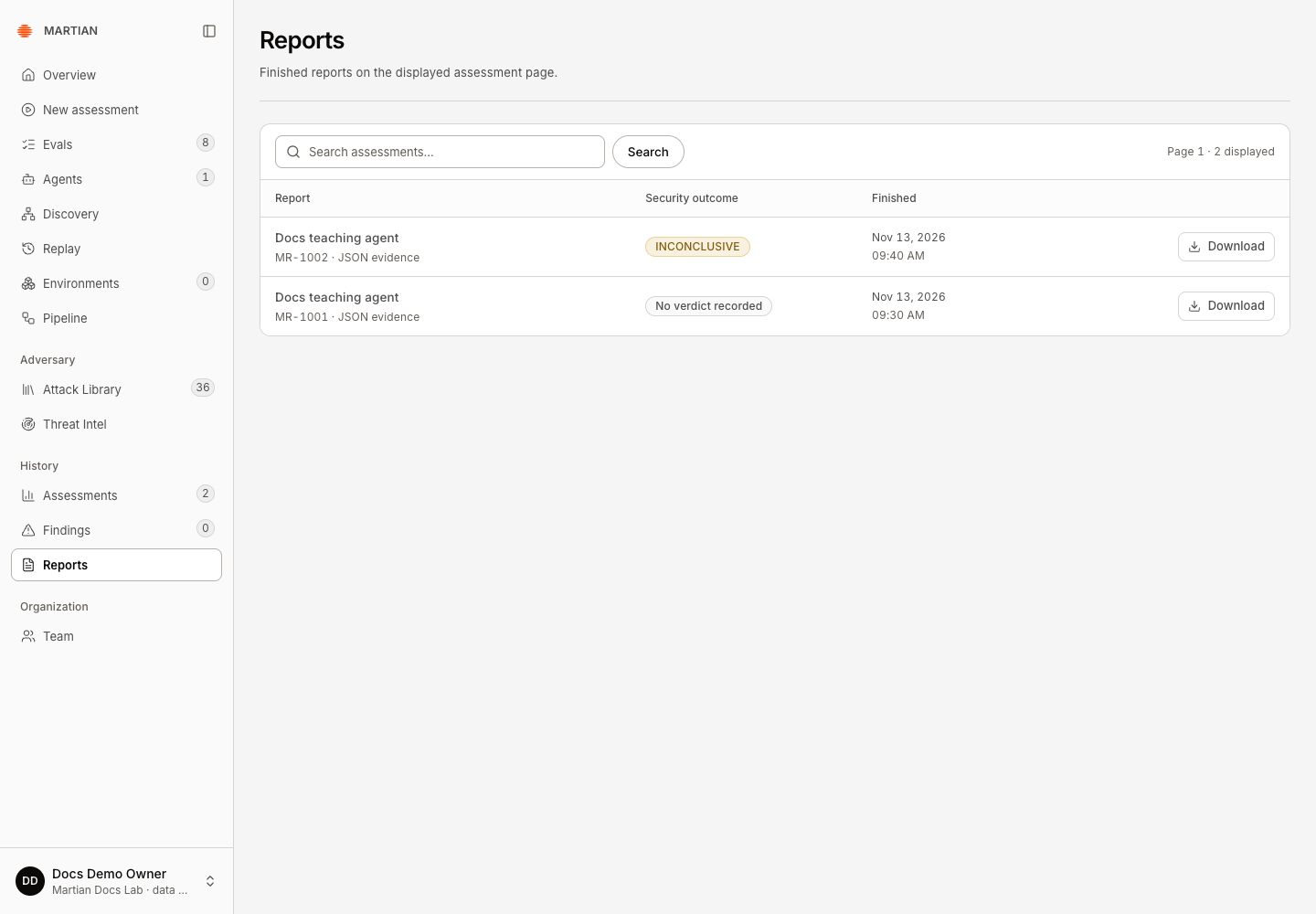
Section titled “Choose an export”- Open Reports, locate the finished run on the displayed assessment page and click Download. The file is JSON evidence, not a generated PDF. It includes safe run metadata, coverage summary and all retrieved findings for that run.
- From the wizard’s Report step, Download report also retrieves the run’s findings for a JSON report.
- In a legacy trace, Download legacy JSON evidence contains the currently displayed findings page plus
findings_pageandfindings_may_have_more. Do not treat this narrower export as the full finding catalogue. - In a modern run, Download domain outcomes retains the domain result summary. A published artifact-backed Recorded review can separately offer Download redacted review for a revision-pinned ZIP. A live source or unsupported snapshot selection can disable that download until a published revision is available.
- Inspect the downloaded file locally: confirm the run code, agent, state, verdict and evidence/coverage scope match the UI. Save it under your organization’s retention policy and keep any synthetic/private content within its approved audience.
Failure and recovery
Section titled “Failure and recovery”If Refresh review still offers no published revision, ask your workspace owner or Martian operator who manages review publication. Include the run code, displayed review revision/status and error, without credentials or private payloads. Refresh reads availability; it does not publish an artifact. Keep the available run/legacy JSON as its separately described evidence scope; it is not a substitute for a published redacted review ZIP.
- No finished reports on this page may mean your current page/filter contains no terminal run. Search or page to the intended run; it does not establish that all organization history is empty.
- A failed download should retain an error. Retry the read after checking service/evidence availability; downloading does not justify starting a new assessment.
- Missing retained content or expired artifact custody cannot be reconstructed by a screenshot of an old report. Keep the availability limitation visible.
- Imported history reflects its original execution and evidence. It does not prove that the current deployment executed that run.
- The modern redacted bundle, domain JSON and legacy JSON have different scopes. Redaction and an export filename are not substitutes for checking what the file actually contains.
Continue with evidence and results or configure a new assessment when you intentionally need new execution.