Evals
Collect human reviews
Collect attributed human ratings on saved evaluation responses. A queue defines which results need which questions; it becomes complete only after the required answers and their native feedback are verified. Human ratings remain separate from the original automated scores.
Before you start
Section titled “Before you start”Use a Completed run in a writable project in the current beta console. Members, admins and owners can create queues and review work assigned to them. Owners/admins can assign or reassign another reviewer’s work. The reviewer must be an active non-viewer member of the same organization. Viewers can read authorized review results without submitting answers.
Choose a small set of synthetic results for the first queue. Each queue accepts up to 100 selected results and one to eight distinct required questions. Creating and answering human reviews makes no target or model call.
1. Create the review queue
Section titled “1. Create the review queue”- Open the completed run’s Results tab and select the records you want reviewed.
- Click Create review queue; the action includes the selected-record count.
- Enter Queue name.
- Define the first required question using Criterion, Question and Answer type. Use Boolean, numeric, categorical or text; set the applicable numeric bounds or category labels.
- Use Add required question for another criterion, or select Reusable question and choose Add saved question. A saved question is appended; remove the unused default question with Remove question 1 if you want only the saved rubric.
- Confirm Assign reviewer. Keep yourself or an unassigned workflow unless you have administrator authority to assign another person.
- Click Create queue.
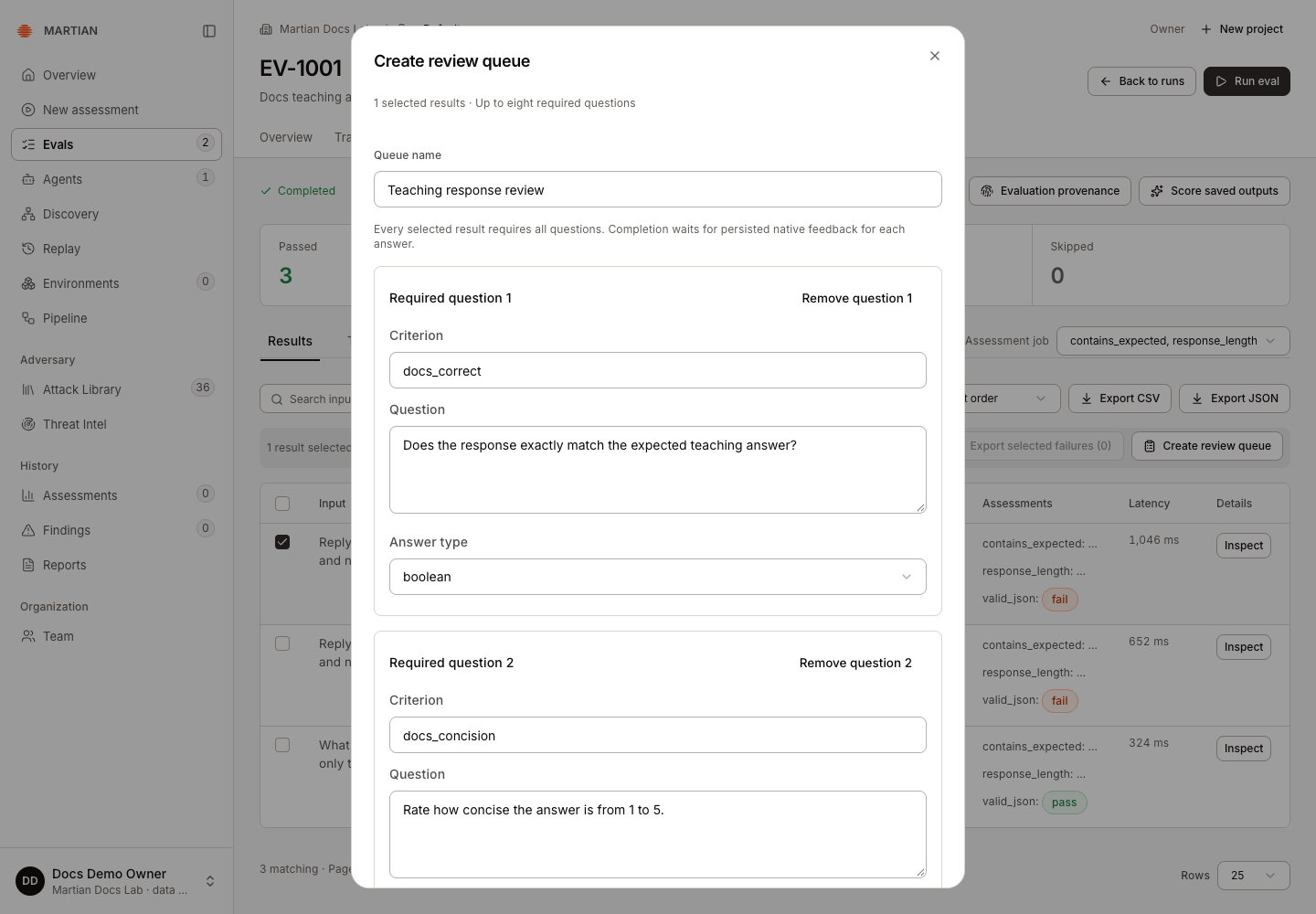
Choose criterion names that clearly distinguish the questions. A result cannot silently join overlapping review chains that reuse a criterion with a conflicting queue/question schema.
2. Answer a required question
Section titled “2. Answer a required question”- Click Inspect on a selected result.
- In Human review, choose the required Review question. Read its instruction alongside the input, expected output and actual answer.
- Set Review rating. For Boolean questions, choose Pass or Fail. For other types, choose Complete and enter Numeric answer, select Category, or write Text answer.
- Explain the rating in Review explanation. A completed answer needs an explanation and a value valid for that question.
- Click Save review and wait for the saved state. Repeat for every required question on every selected result.
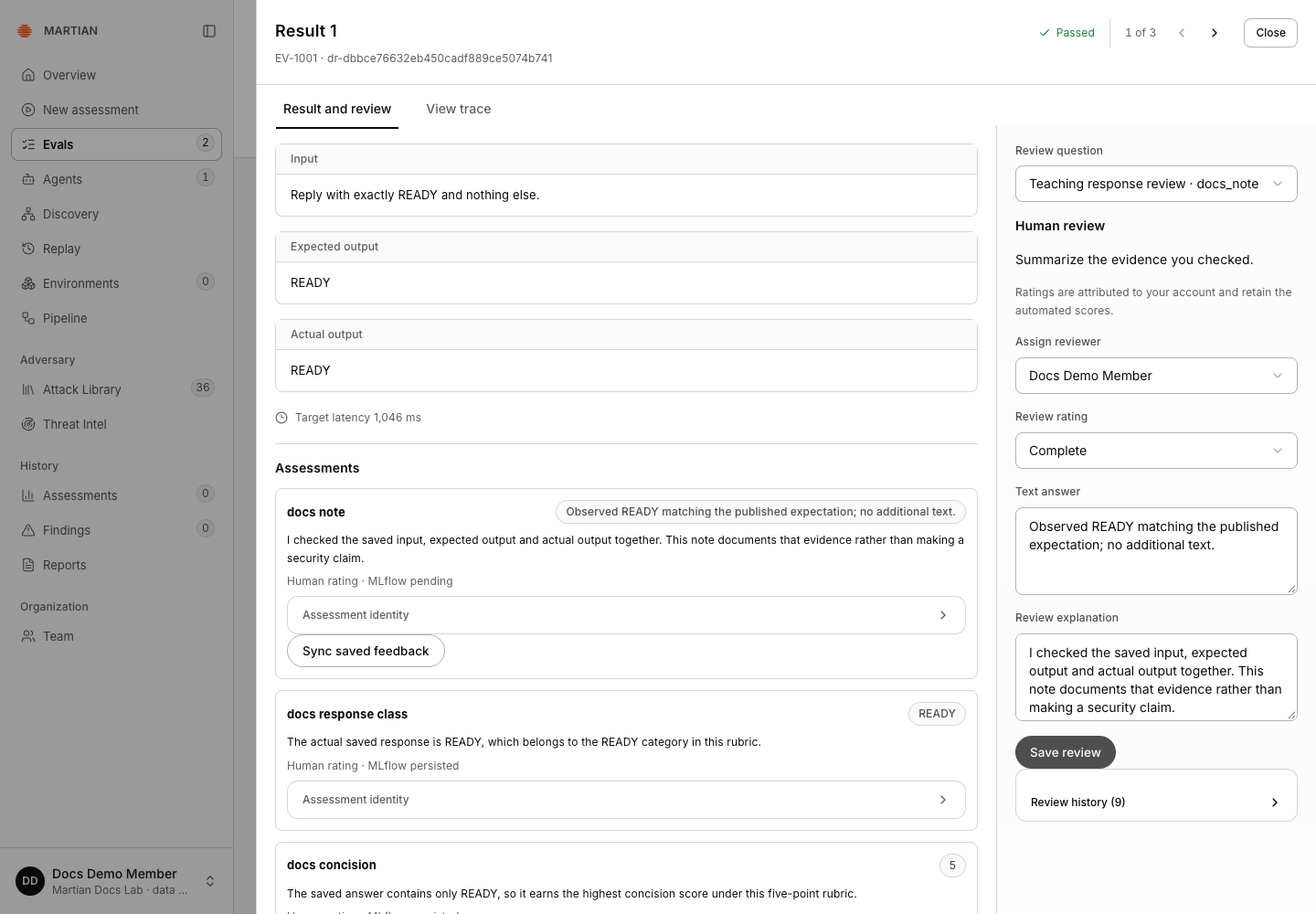
Use Pending review when the answer is not complete. Saving pending work does not satisfy the queue’s required question. Finish or resolve pending edits before moving to another result when the drawer shows Review changes pending.
3. Verify queue completion
Section titled “3. Verify queue completion”- Open Evals → Reviews.
- Select the queue in Review queues.
- Inspect Review queue summary and the number of answers verified. Wait for Complete; a local save notification alone is not native-feedback completion.
- Use Review filter to inspect completed reviews, and open a review to read the explanation and retained history.
- Refresh and reopen the queue. Confirm its answers, reviewer attribution and completion remain available.
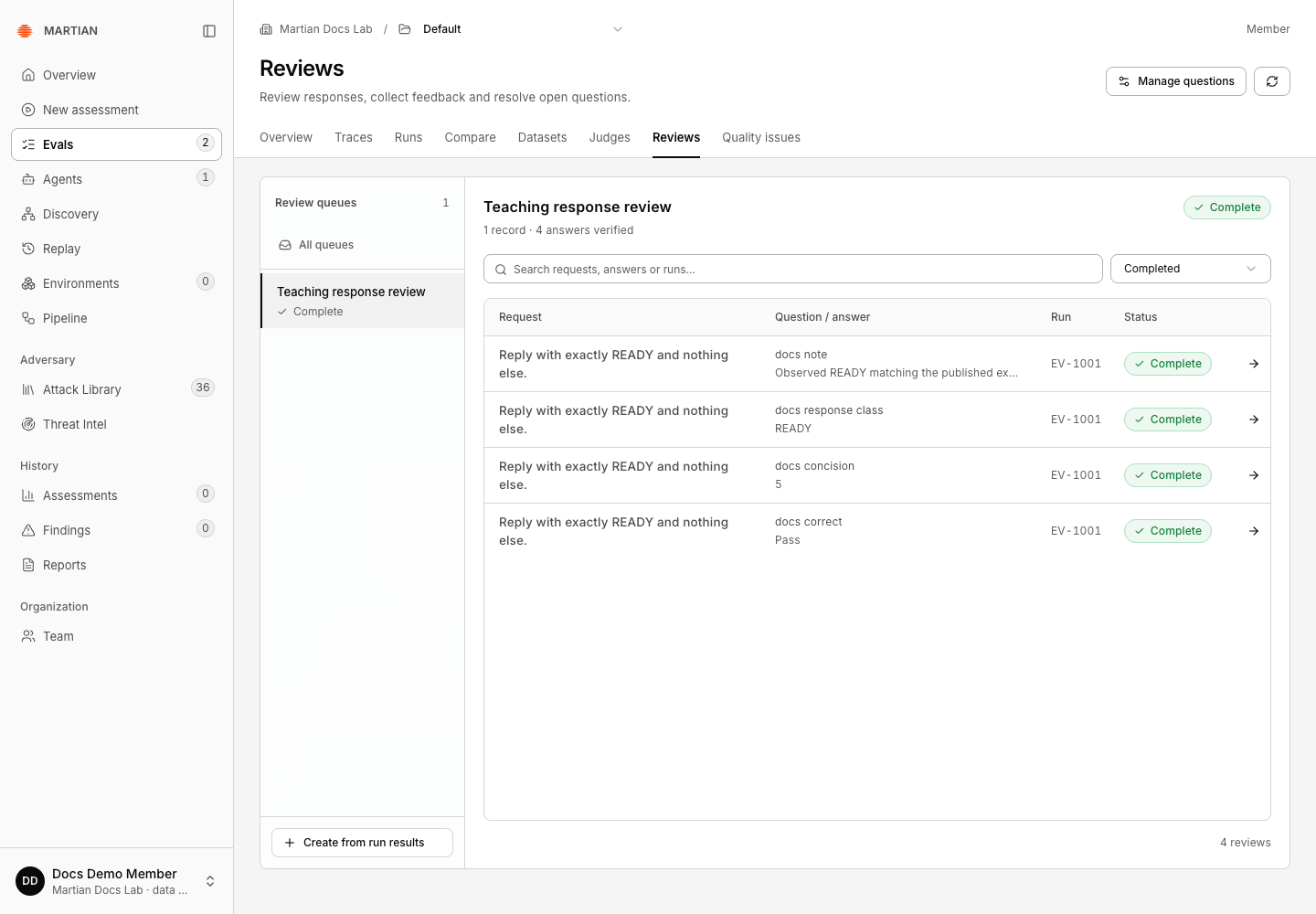
For two results with three required questions, six latest answers must be complete and verified. A newer answer supersedes the prior answer in the current view while the history remains attributable.
4. Reuse a stable question definition
Section titled “4. Reuse a stable question definition”- From Reviews, click Manage questions.
- Choose New review question, define the criterion/question/answer type and relevant bounds/options, and save the question version.
- When creating another queue, select that version using Reusable question → Add saved question.
- To change the definition later, choose Create next version. Existing queues retain their original question versions.
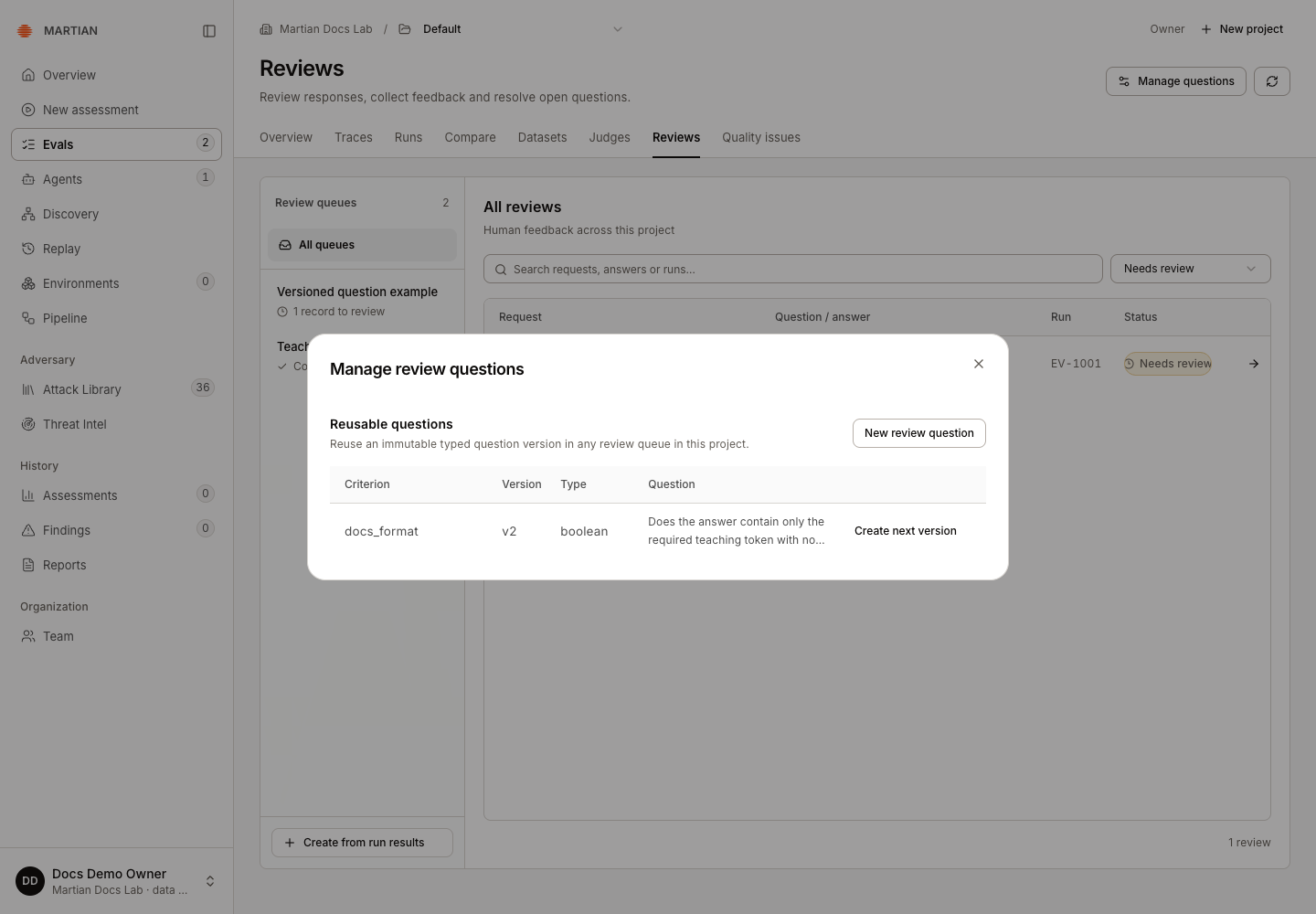
Question versions let reviewers use the same rubric consistently. They do not cause existing completed answers to be rewritten.
Failures and recovery
Section titled “Failures and recovery”- For a stale review, reload the latest answer before editing; do not overwrite another reviewer’s work with an old revision.
- If a save acknowledgement is delayed, wait and refresh the latest review before submitting another edit; another submission can create an additional history entry. Use Retry saved review after an unresolved acknowledgement. The same saved submission is inspected before another is admitted.
- A non-admin cannot reassign work currently assigned to someone else. Ask an owner/admin to change the assignment.
- If a saved answer shows MLflow pending, use Sync saved feedback to retry that retained assessment, then recheck the queue. Do not use Save review again merely to synchronize feedback.
- A queue waiting for native feedback can show pending synchronization after local answers exist. Reconcile native queue, when offered, checks its recorded feedback. Preserve unresolved evidence for administrator review rather than marking it complete manually.
- A rating is an attributed opinion under a rubric. It does not independently prove an exploit, permission boundary or business-side effect.
Next, compare compatible scored runs or triage quality issues.