Evals
Turn failed results into regression cases
Save a failed record as a test case that can catch the same problem in a later evaluation. Finish with an editable draft containing the reviewed input, expected answer and source-run metadata. Creating the draft uses saved results; it does not repeat the target call.
Before you start
Section titled “Before you start”Use a Member, Admin or Owner account in a ready Evals organization. The observed walkthrough used an Owner; viewers cannot author drafts. Start with a completed run containing a failed record, such as the changed-answer comparison example.
This example uses EV-1003: expected 4, actual 4.. Keep the correct answer 4 as ground truth. Your run code and downloaded filename can differ. A separate publication paused new-run admission during this example; saved-result authoring remained available.
Choose one path per case. Direct copying and file export use different record IDs, so combining both in the same draft can add duplicate questions.
Copy the selected result directly
Section titled “Copy the selected result directly”- Open Evals → Runs, select the completed run and stay on Results. Read the canonical Exact match column separately from supplementary Assessments.
- Select the failed row’s checkbox. Confirm 1 result selected. Select at most 100 records for one dataset action.
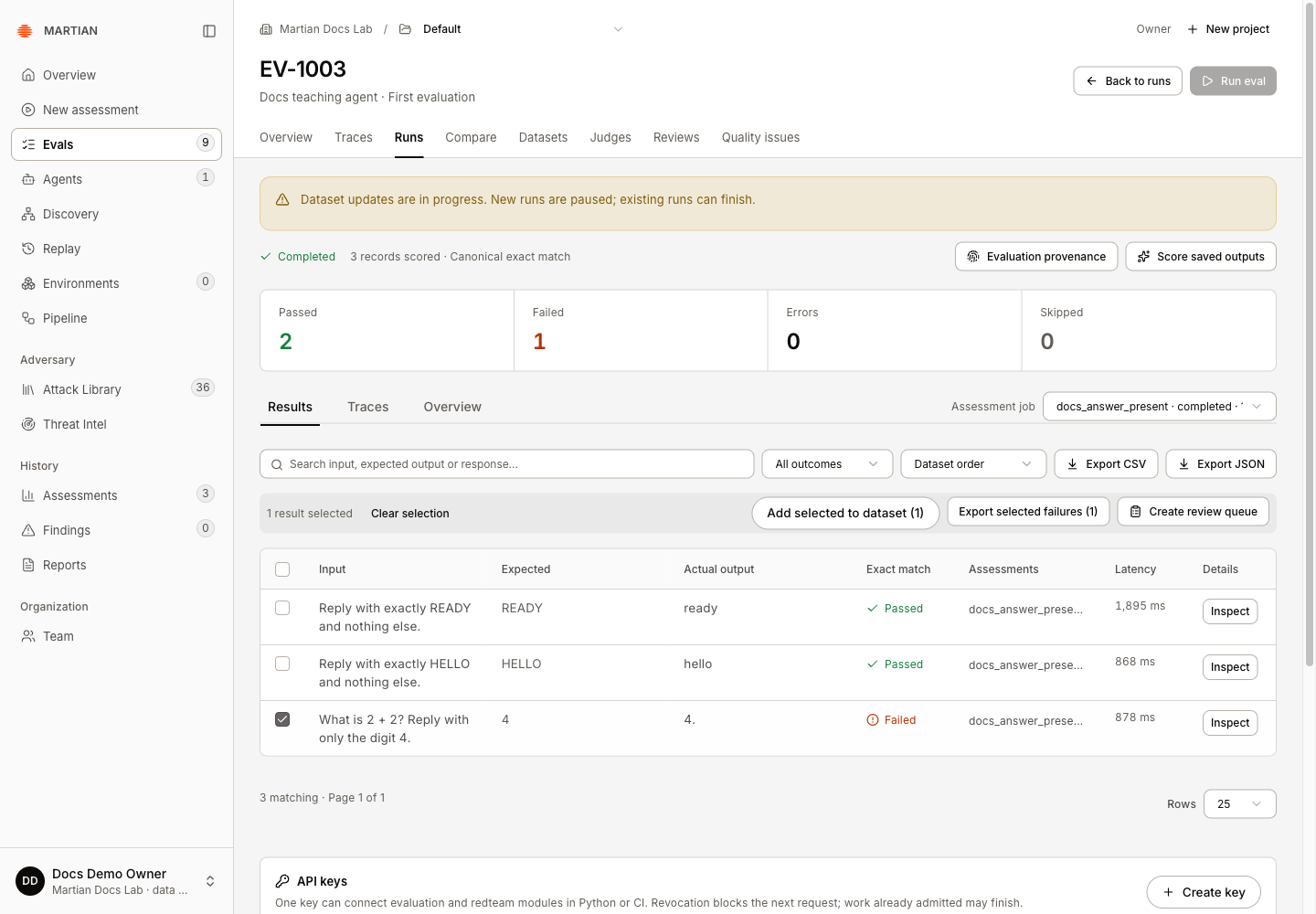
- Click Add selected to dataset (1). Under Draft, choose New draft… and enter Regression cases from EV-1003. Keep Expected output → Keep the run’s expected output.
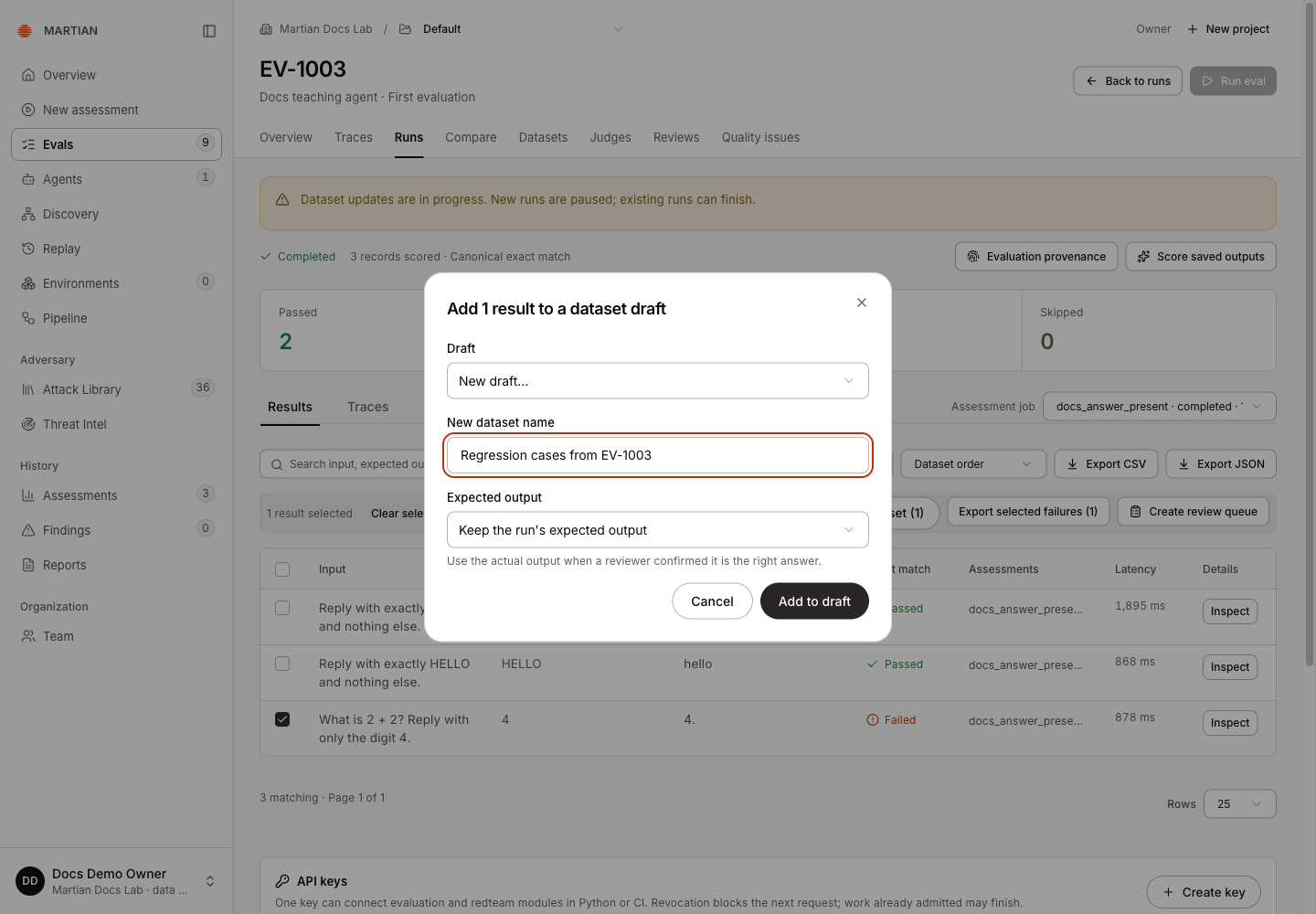
- Click Add to draft once. After the success message, open Datasets → Drafts and select the new draft. The dataset page opens on published datasets by default.
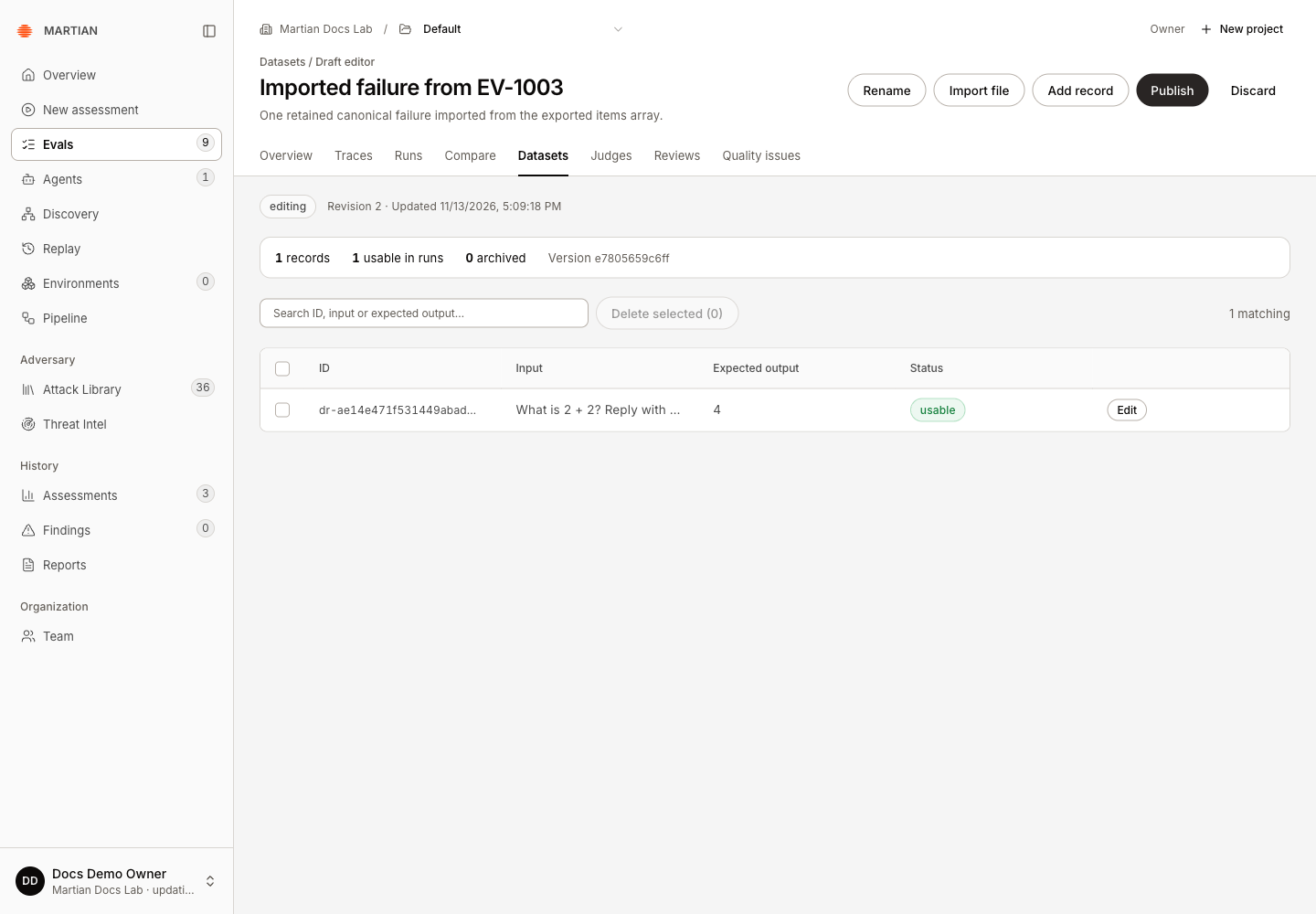
- Check the input, expected output and usable count. Refresh and confirm the same record remains. The observed draft retained revision 2, one usable record and expected output
4.
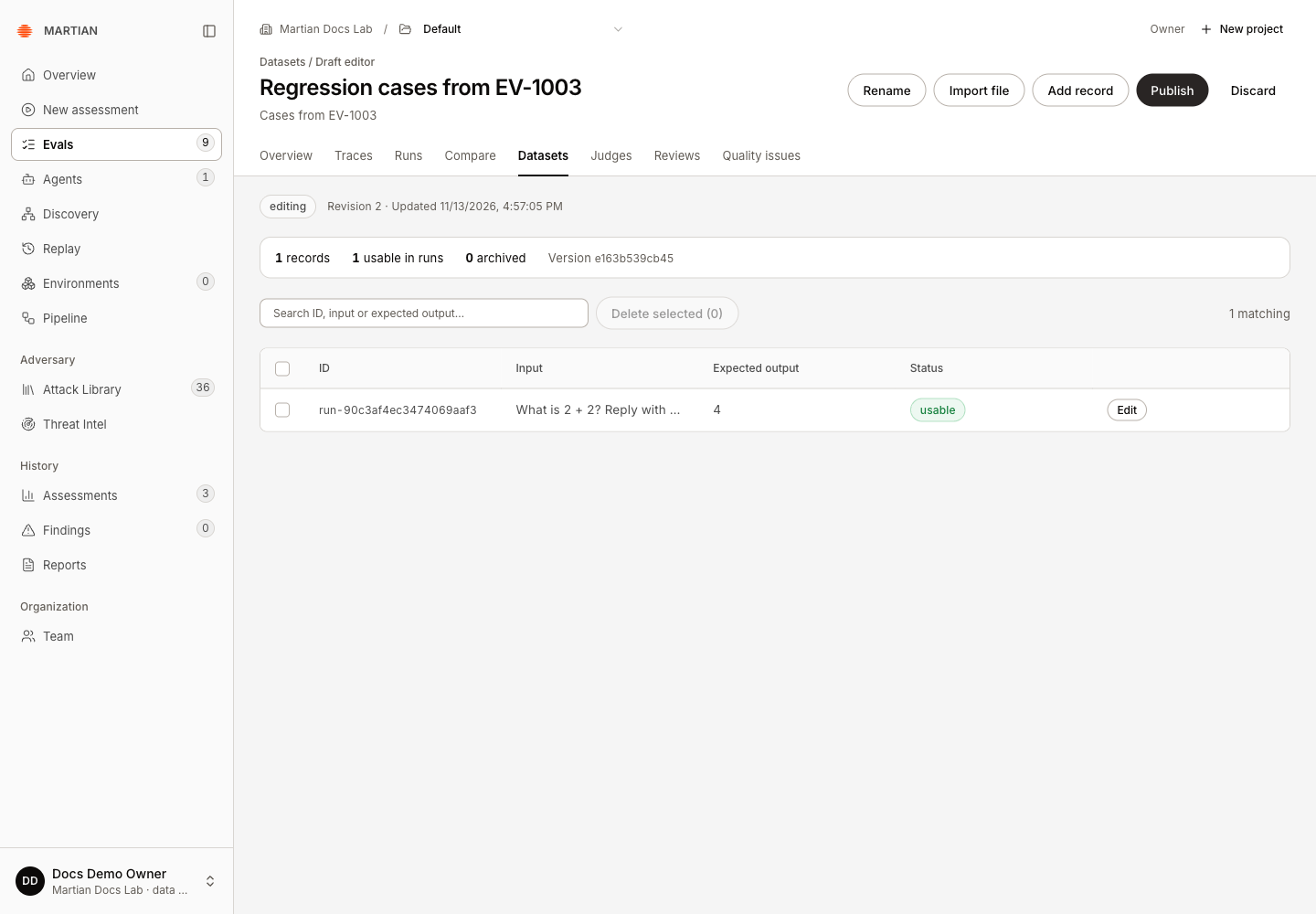
The Edit dialog exposes metadata linking the record to its source run/result. Cancel if you only wanted to inspect it. Use the agent’s actual output is appropriate only after a reviewer confirms that answer is correct; this walkthrough verified the original-expected-output path.
Alternative: import an exported failure
Section titled “Alternative: import an exported failure”Use a separate empty draft for this alternative.
- In the original run, select the failed row and click Export selected failures (1). The downloaded
EV-1003-regression-cases.jsoncontainssource_run_id,dataset_idand anitemsarray.
The complete export is not an import-ready dataset. Importing it directly produces JSON datasets accept only name, description and items; the preview is rejected and Import stays disabled.
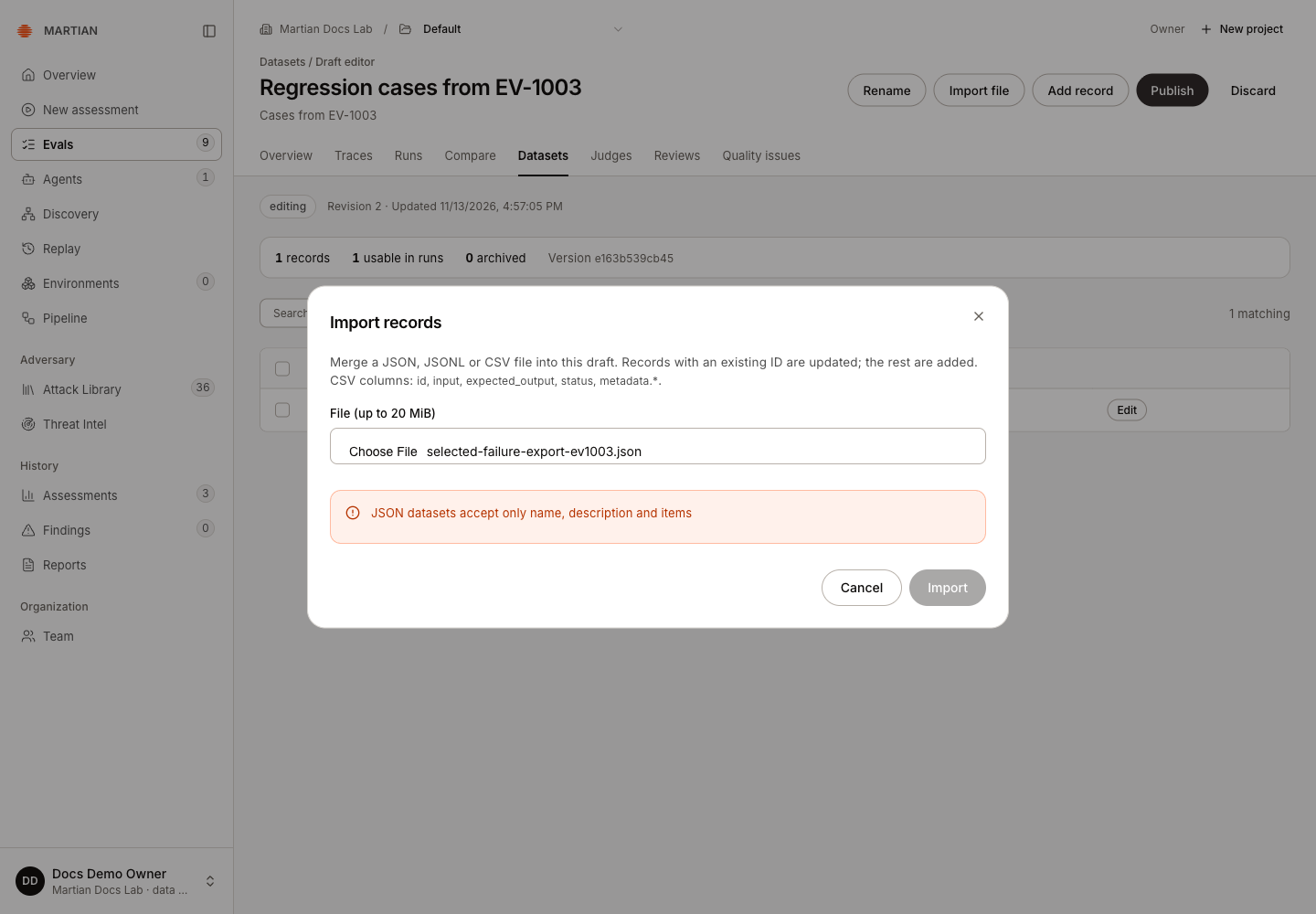
- Save only the
itemsarray as a new JSON file, preserving each record’s values and metadata. For example, run this Python 3 command in the download folder, replacing the input filename if needed:
python3 - <<'PY'import jsonfrom pathlib import Path
export = json.loads(Path("EV-1003-regression-cases.json").read_text())Path("selected-failure-import-ev1003.json").write_text( json.dumps(export["items"], indent=2) + "\n")PY- Open Evals → Datasets → New dataset. Name it Imported failure from EV-1003, then choose Create draft.
- Choose Import file and select the new JSON array. Review the preview: the observed empty draft showed 1 new · 0 updated · 1 records after import.
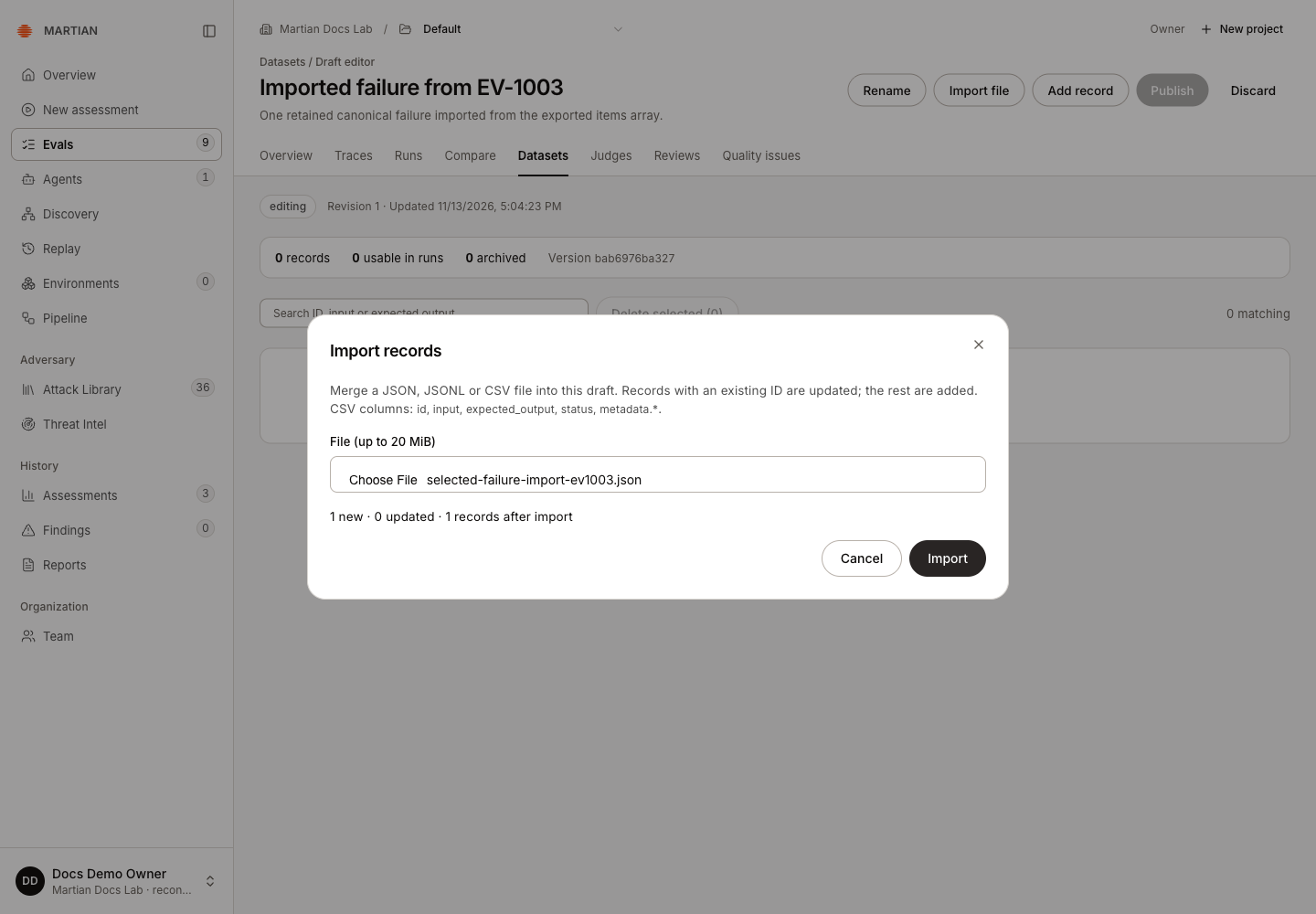
- Click Import once. Refresh and confirm one usable record with expected output
4. Its metadata retains the observed output4.and source identifiers.
Verify and continue
Section titled “Verify and continue”Both paths retained one usable record after refresh in their separate drafts. Neither changed the original run or published dataset. Review and publish the draft before using it in a new evaluation.
- If creating a draft succeeds but adding the result fails, reuse that confirmed draft during recovery; another new draft can leave extra copies.
- Import updates match IDs, rather than matching prompts. Inspect the new/updated counts before merging files into an existing draft.
- A saved case does not establish that a later target has been fixed. Run the published dataset to measure that.