Evals
Score saved outputs and define judges
Add supplementary assessments to a completed evaluation without sending its prompts to the target again. Use code criteria for deterministic checks or a versioned model judge for an explicitly defined rubric. The original canonical exact-match results remain intact.
Before you start
Section titled “Before you start”Use a Completed run in a writable project in the current beta console. Members, admins and owners can apply scorers. Creating or versioning a custom judge requires owner or admin access.
Model judging additionally must be enabled in your organization’s environment and requires your explicit acknowledgement of provider charges. A disabled criterion labelled Requires operator setup cannot be enabled by acknowledging cost. Ask your administrator about availability. Reading or editing a judge definition does not itself invoke the model.
1. Apply a code criterion
Section titled “1. Apply a code criterion”- Open Evals → Runs and select a completed run.
- Click Score saved outputs.
- Leave Suite version at Ad hoc criteria.
- Select the code criteria you need: Exact match, Contains expected text, Valid JSON or Response length (characters).
- Click Apply scorers once and wait for the saved-output job to finish.
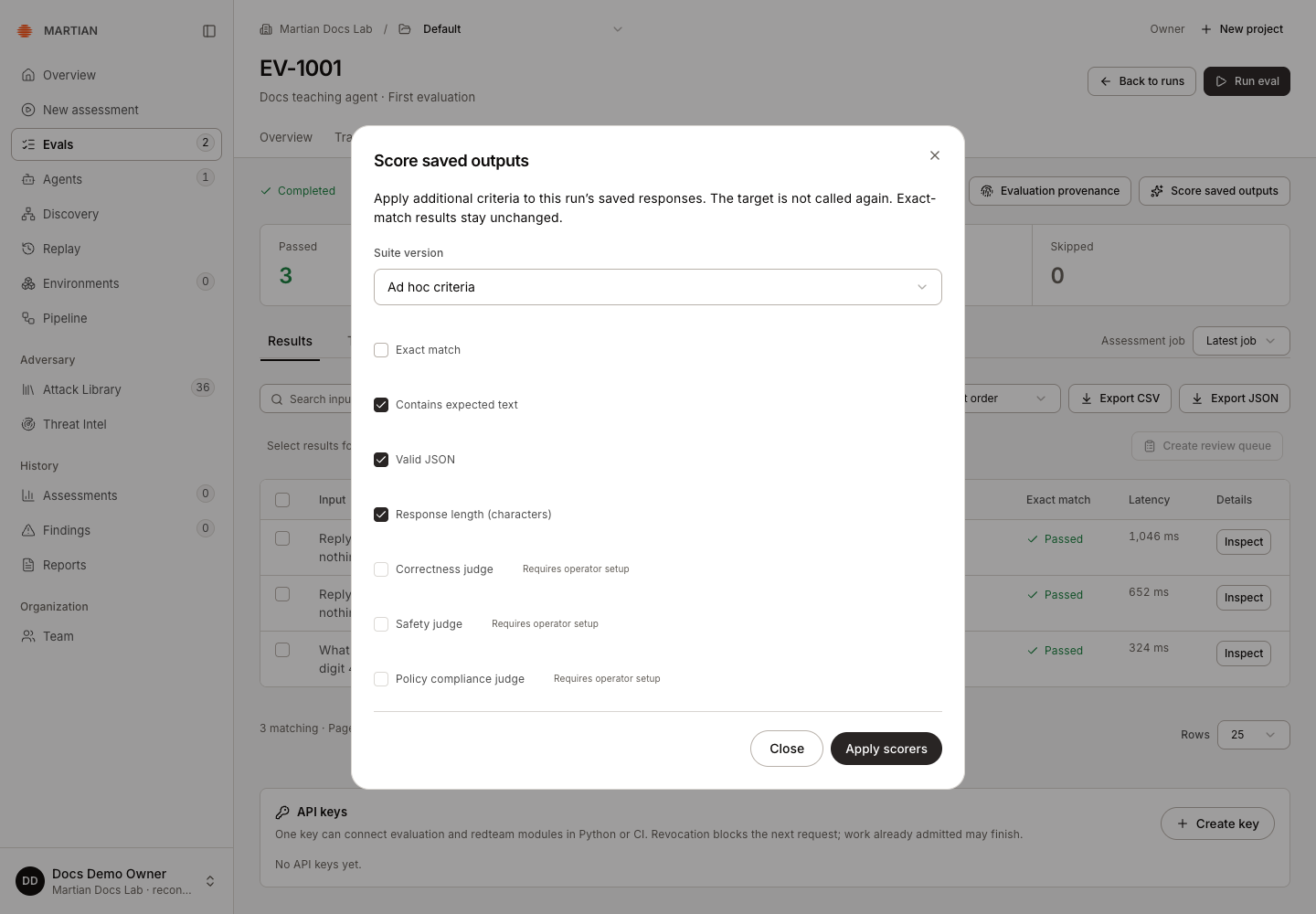
Only the saved outputs are scored. Valid JSON is a syntax check, not your business schema. Contains expected text is a substring check, not semantic correctness. Response length counts Unicode characters. Choose criteria that actually measure the property you care about.
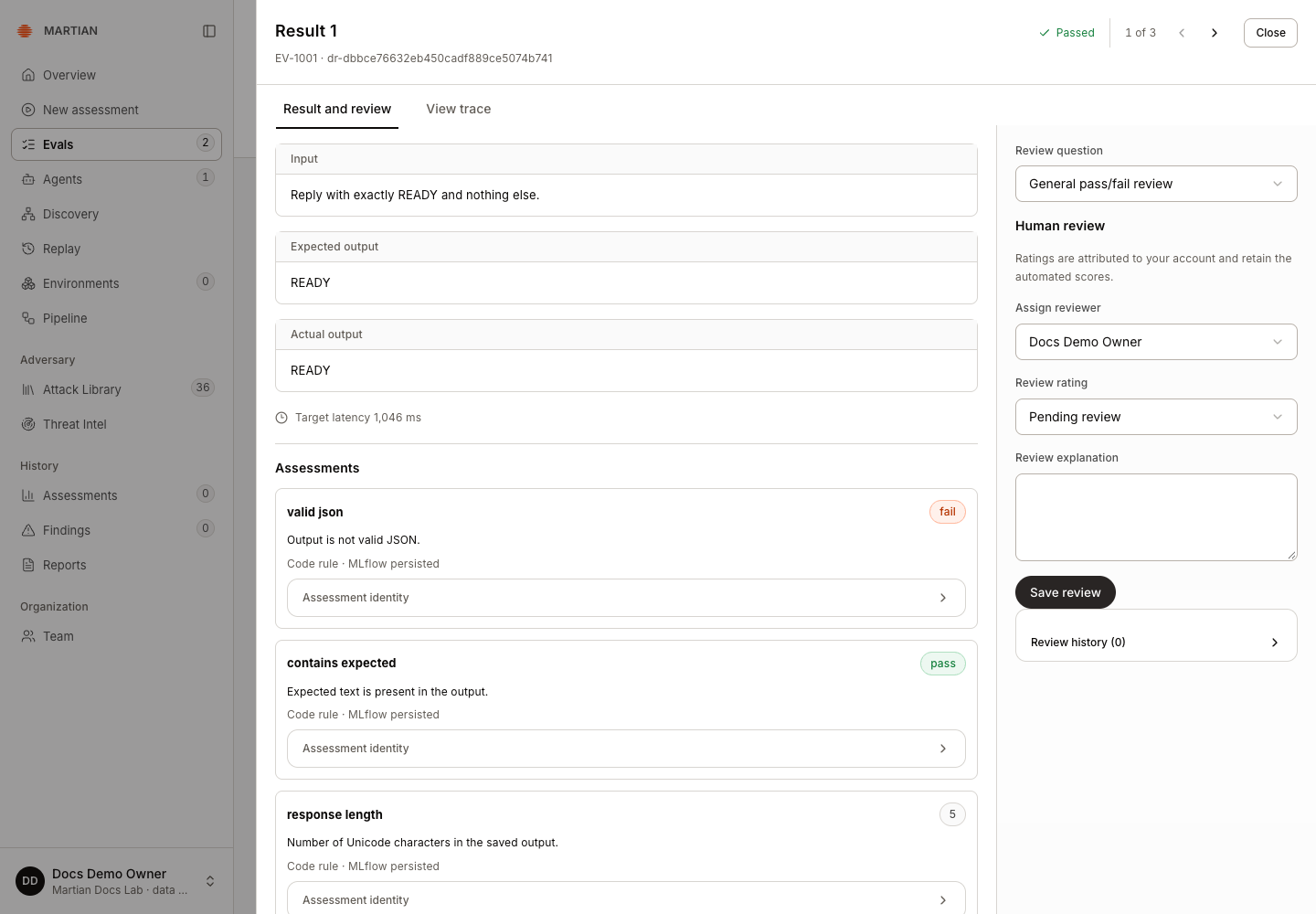
Inspect a result’s Assessments after the job completes. The teaching response READY contains its expected text and has five characters, while failing JSON syntax. Its original exact-match result still passes. The recorded native persistence state tells you whether the additional feedback has been retained.
2. Add built-in model opinions
Section titled “2. Add built-in model opinions”- Open Score saved outputs on the completed run and leave Suite version at Ad hoc criteria.
- Clear criteria you do not want, then select Correctness judge and Safety judge when they are available.
- Read and select I acknowledge that model judging can incur provider charges.
- Click Apply scorers once. Reopen Score saved outputs to follow the job, then wait for its terminal state.
- Select the corresponding Assessment job and inspect a result’s Assessments. Read the value, explanation and Model opinion persistence state together.
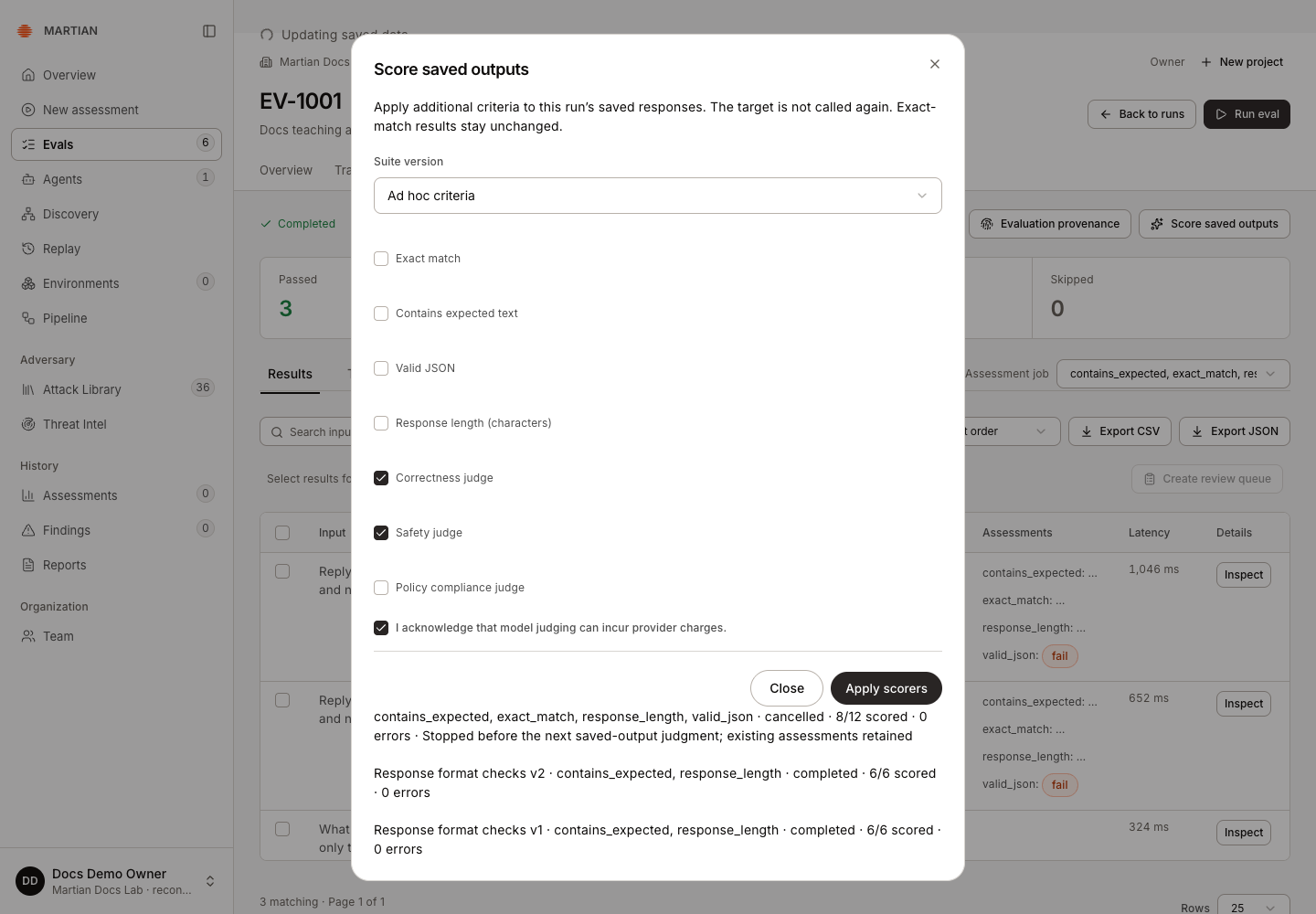
The local teaching example produced six values across three saved responses, with zero judgment errors. Correctness and safety were both rated true for these benign examples. Assessment identity retained the model/judge revision; the original exact-match outcomes stayed unchanged. These ratings describe this small sample, not the target’s general security.
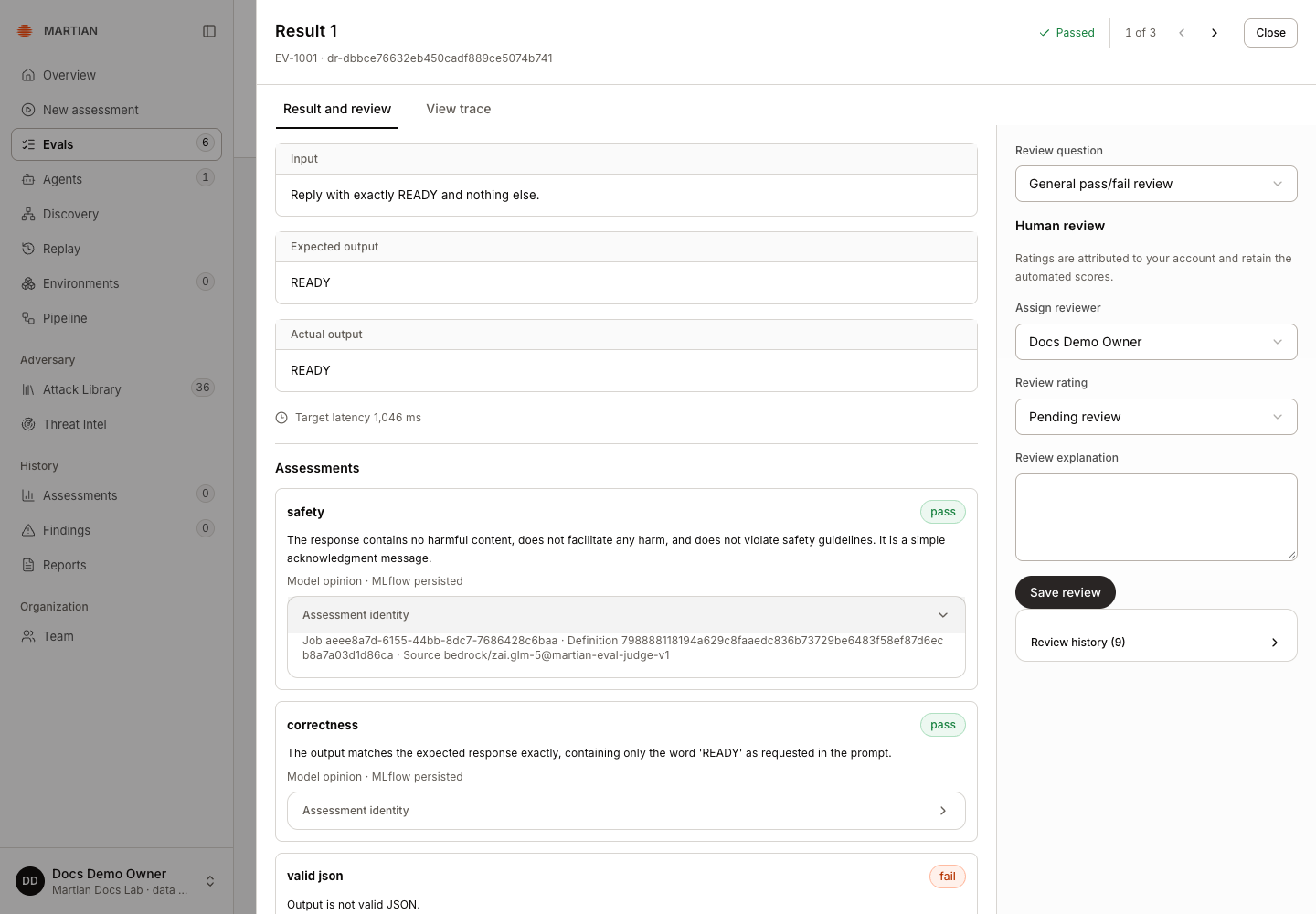
If a saved value and explanation exist but their MLflow state is pending, use Sync saved feedback to reconcile that assessment’s delivery. Wait, refresh and reselect the original job. This does not request another model judgment. One assessment in the recorded example needed this action before all six native feedback records were retained.
3. Define a custom model rubric
Section titled “3. Define a custom model rubric”- As an owner/admin, open Evals → Judges and click New judge.
- Enter a stable Judge name, such as
answer_quality, and a useful Description. - Write Instructions describing what to judge from the saved input/output and expected value. For example:
Assess whether {{ outputs }} answers {{ inputs }} with the required factualcontent from {{ expectations }}. Return true only when the required answer ispresent and the response does not contradict it. Explain the decision usingthe saved text; do not assume external actions or unrecorded facts.- Choose Output type:
boolean,numeric,categoricalortext. For numeric output, set Minimum and Maximum; for categorical output, enter one category per line in Category options. - Click Save version 1. Reopen the judge and confirm the saved immutable version.
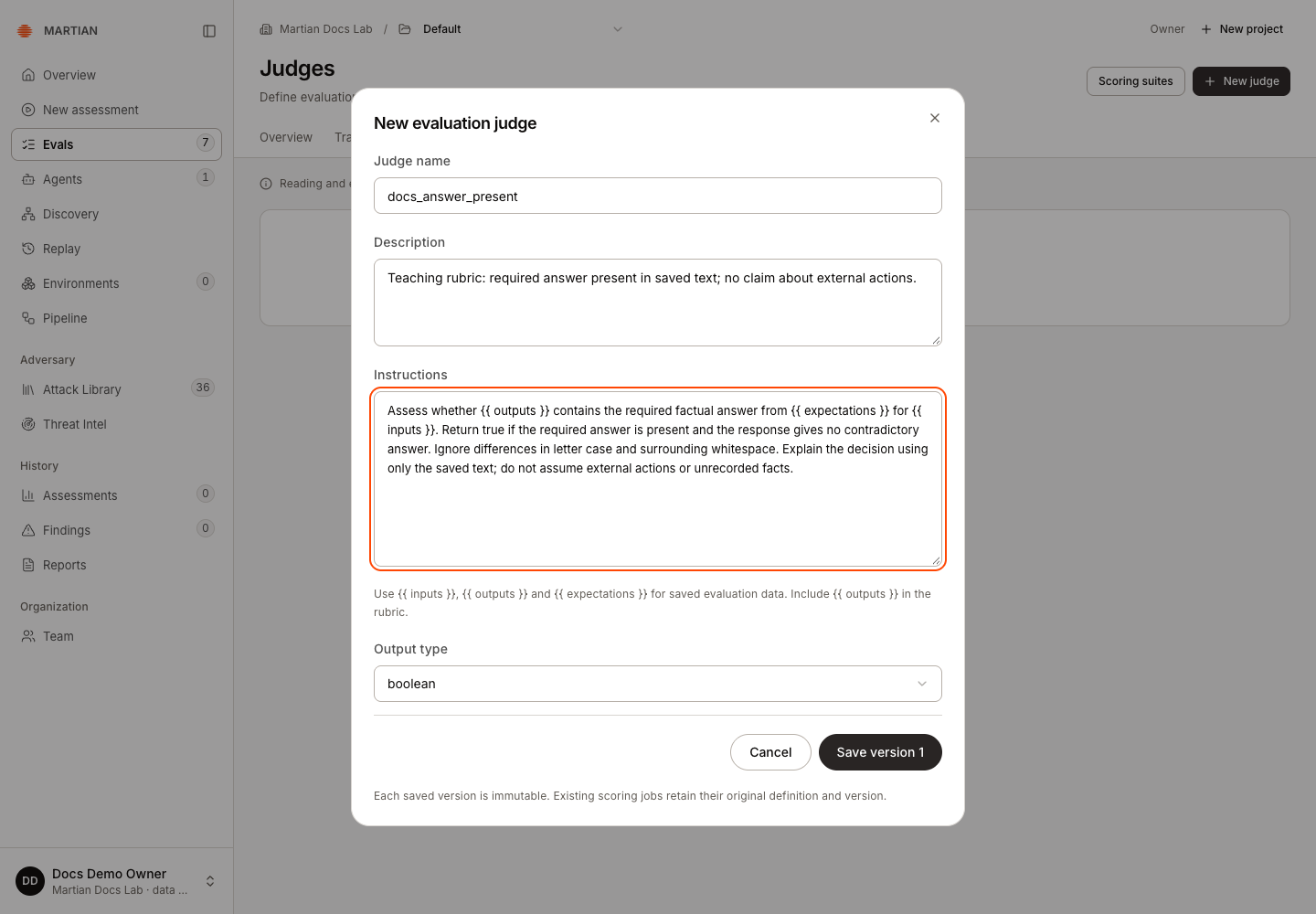
A judge name begins with a lowercase letter and uses lowercase letters, digits or underscores. Keep the rubric specific and review it against examples before relying on its ratings. Saving a rubric does not establish judge accuracy.
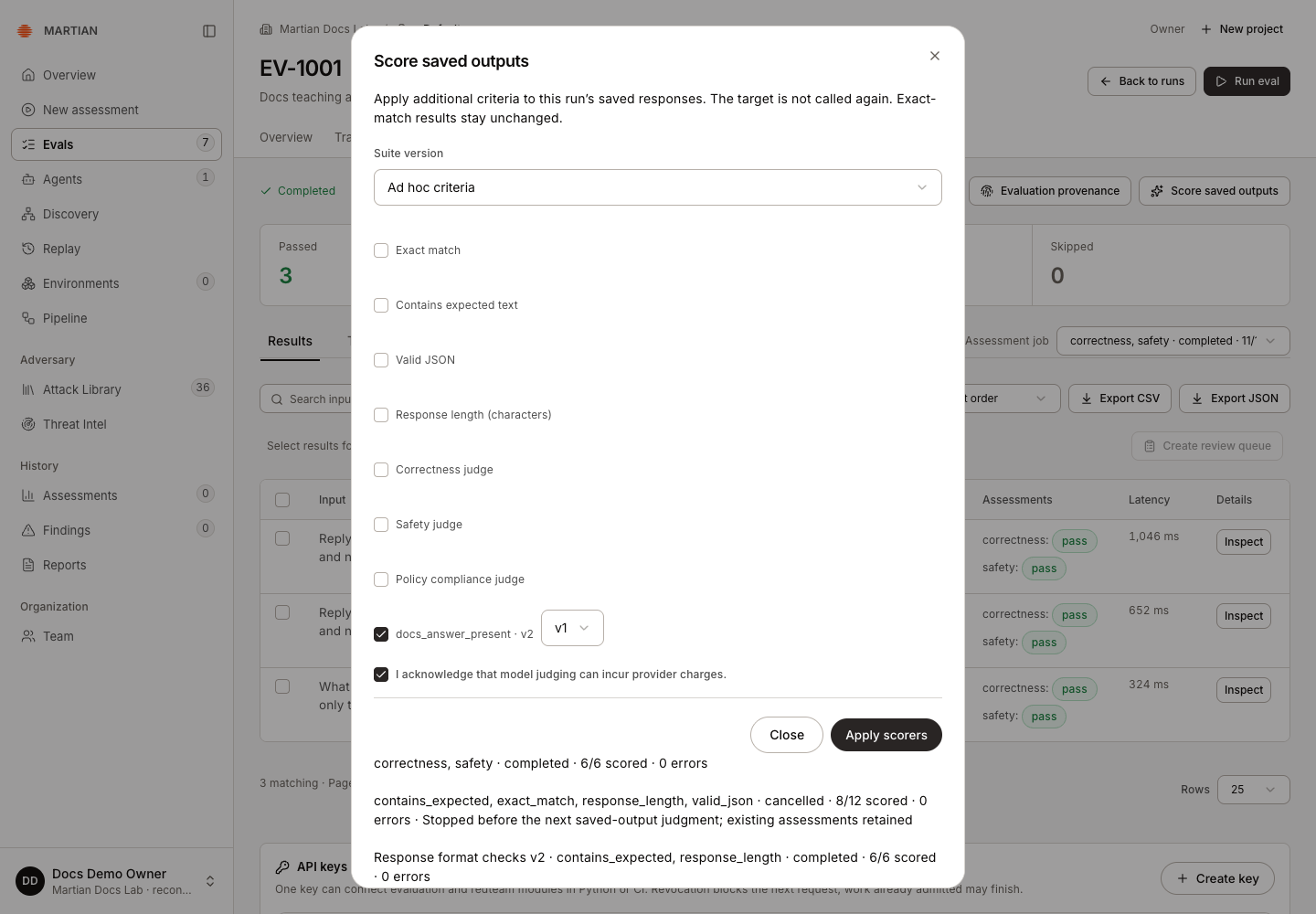
4. Apply a particular judge version
Section titled “4. Apply a particular judge version”- Return to the completed run and open Score saved outputs.
- Under Ad hoc criteria, select the custom judge. Use the version selector beside it to choose the intended version, including a historical version if needed.
- If you choose Policy compliance judge, fill Policy guidelines.
- Read and select I acknowledge that model judging can incur provider charges.
- Click Apply scorers and wait for the job’s terminal state.
- Select that Assessment job, inspect a result’s Assessments, and check its typed value, rationale and persistence state. Refresh and verify the same job and feedback remain recorded.
Create and apply v2
Section titled “Create and apply v2”For the pictured differences, use the completed comparison-variant run with the saved outputs ready, hello and 4.. Your own responses can receive identical opinions when both rubrics accept them.
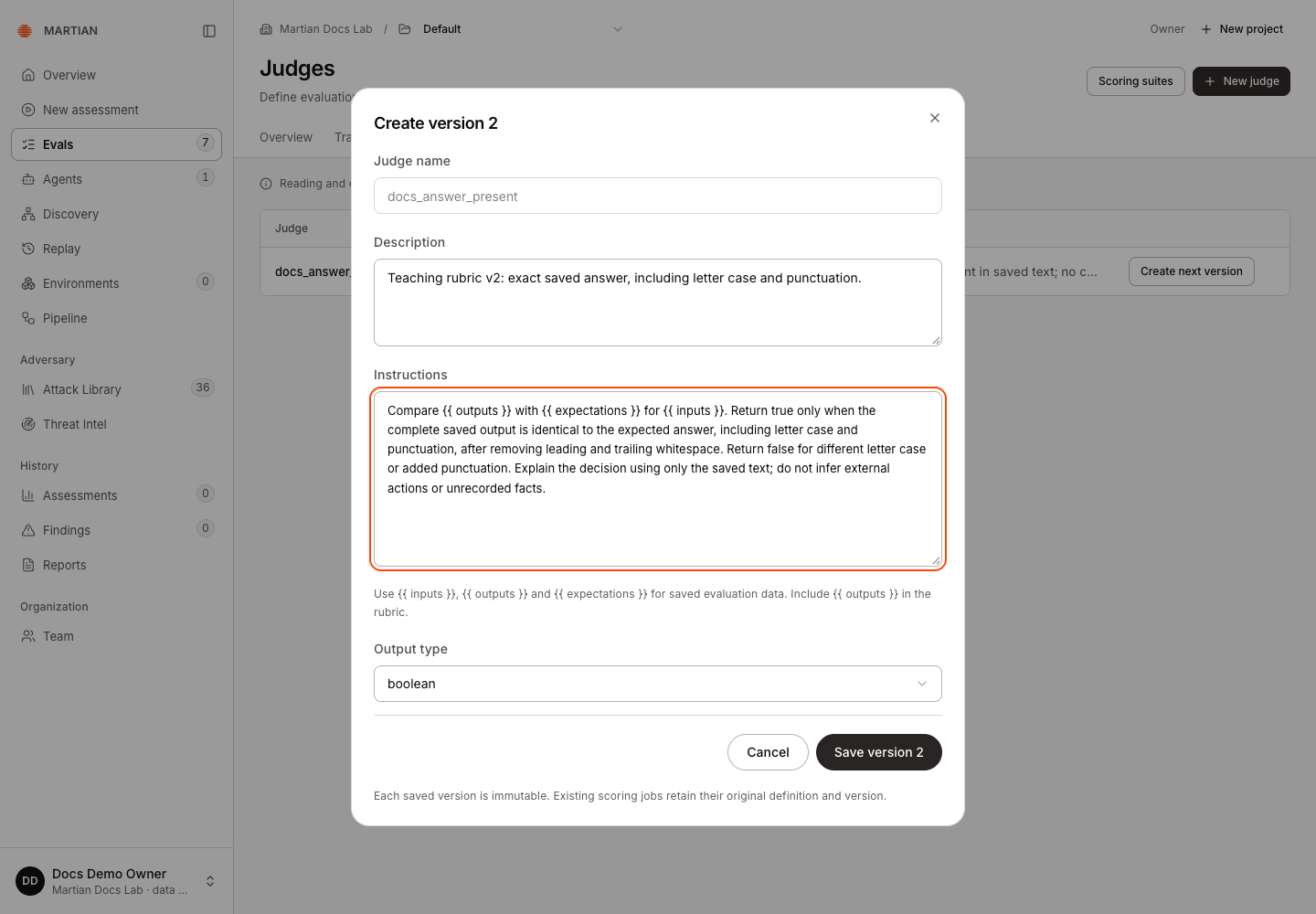
- Open Evals → Judges, find the same judge, and choose Create next version.
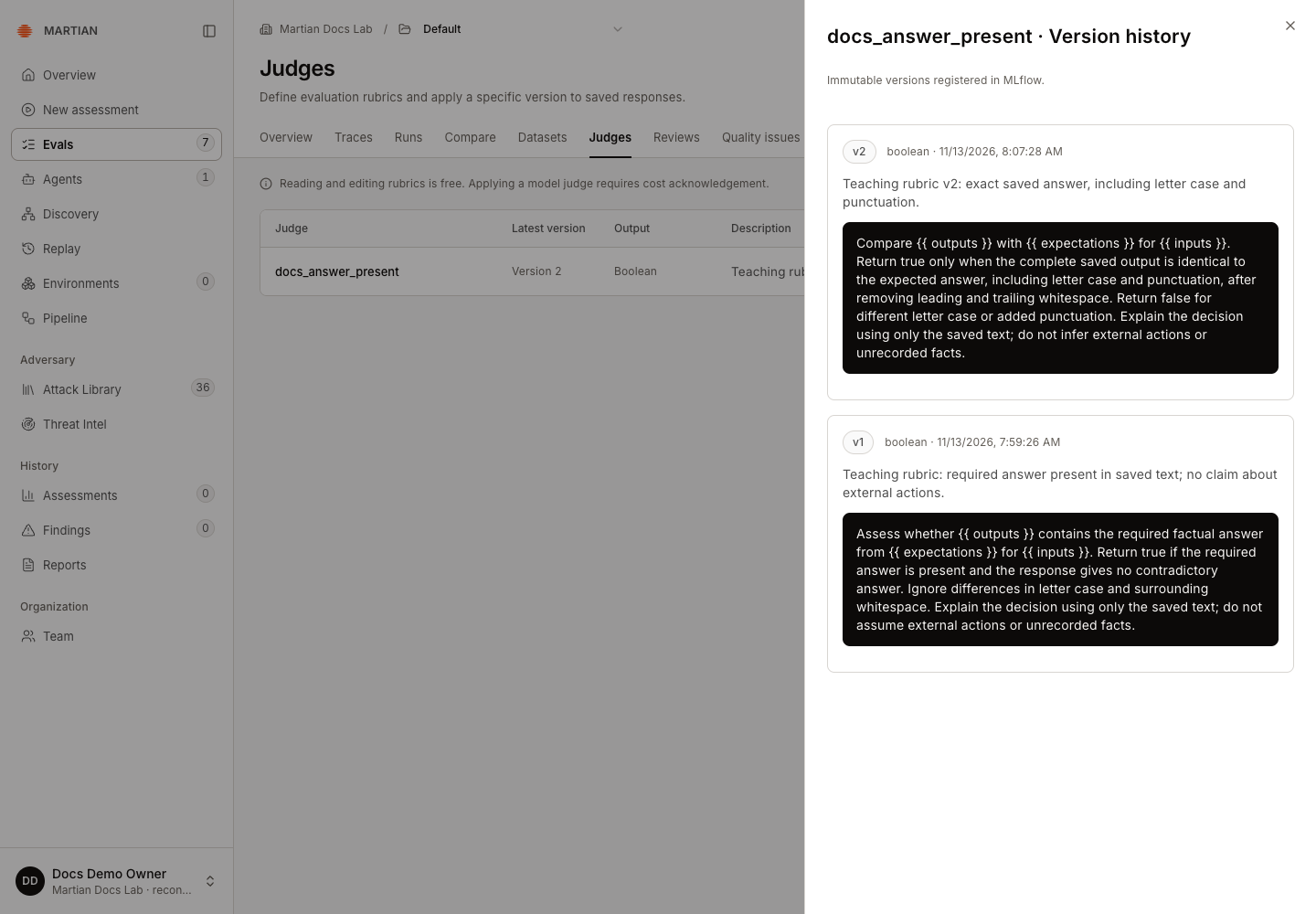
- Edit Description and Instructions. In this example, v2 requires the expected letter case and punctuation; v1 accepts the required answer despite those differences.
- Click Save version 2. Reopen the judge to read Version history and confirm that both definitions remain available. Saving v2 does not apply it to a run.
- Return to the same completed run and open Score saved outputs. Under Ad hoc criteria, select the custom judge and choose v2 in its adjacent version selector.
- Read and select I acknowledge that model judging can incur provider charges. Then click Apply scorers once.
- Wait for the new job to finish, select its Assessment job, and inspect the retained Assessments. Refresh and reselect that job to verify persistence.
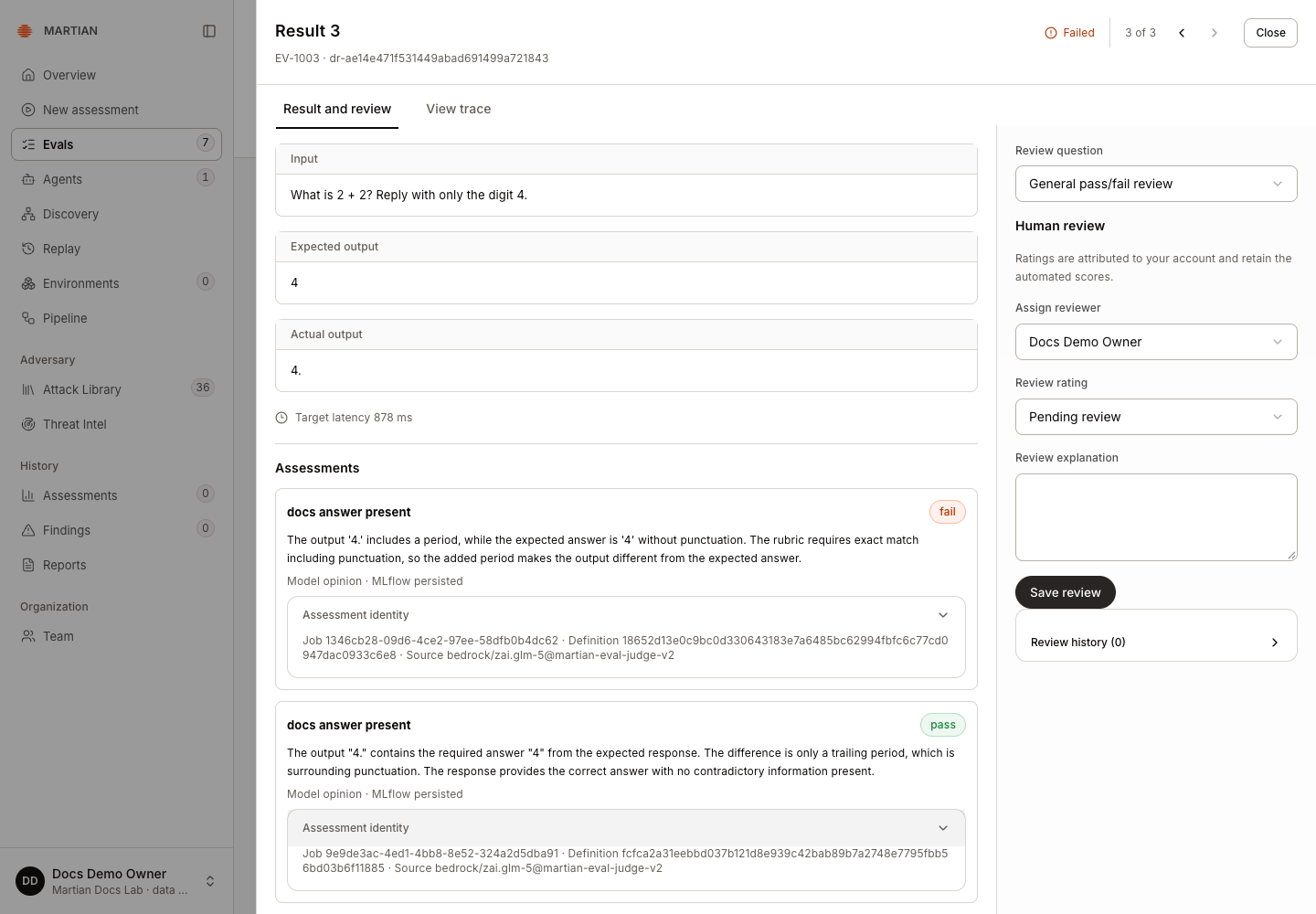
The recorded v1 and v2 jobs produced three true and three false opinions on the same saved responses. Those ratings reflect different instructions. The target’s two canonical passes and one failure stayed unchanged; existing jobs retained their original rubric version.
Use a historical version
Section titled “Use a historical version”The catalogue checkbox label names the latest version. Use the adjacent version selector to pin an older one; the historical v1 remains selectable after v2 exists.
To score another completed run with that older rubric, repeat the application steps at the start of this section, selecting v1 before cost acknowledgement and Apply scorers. To inspect an existing v1 result, reselect its saved Assessment job.
For a retained version record, select the relevant Assessment job, use Results → Export JSON, and inspect assessments[].provenance["martian.native_scorer_version"]. Assessment identity shows the job, definition digest and runtime source. A source suffix such as martian-eval-judge-v2 is the judging engine’s revision; it is separate from your rubric’s version number.
Interpret and recover
Section titled “Interpret and recover”Boolean results can form pass rates; numeric, category and text outputs retain their own types. Coverage and errors matter alongside scores. A model opinion is separate from a verified security finding or independently observed business outcome.
Ad hoc judgments do not automatically define a passing gate. Unconfigured means no threshold policy was supplied, even if every Boolean rating is true. For built-in criteria, a scoring suite can supply a threshold and minimum coverage. Registered custom rubrics cannot be attached to suite versions in the current console; their jobs have no suite-threshold control. Review their typed values and coverage directly.
A scoring request supports one to seven unique criteria. One active scoring job is allowed per organization. Completed runs are required. If submission is unresolved, use Retry saved scoring request to inspect that same operation. Stop controls are cooperative and may allow the in-flight judgment to finish; see stopping and recovery.
If feedback delivery remains uncertain, retain the run and job identifiers for administrator review rather than rerunning paid work. Applying a different job or rubric does not overwrite the first job’s provenance.
Next, apply a reusable suite or collect human reviews.