Evals
Compare evaluation runs
Compare a baseline with a candidate to see which recorded checks improved, regressed or stayed unchanged. The comparison uses dataset record identities and retained outputs; opening it does not call either target again.
Before you start
Section titled “Before you start”Any customer role can compare authorized runs in the current beta console. You need two Completed runs in the selected project. Use the same immutable dataset version with unchanged inputs and expectations. A new publication with another dataset identity is not interchangeable merely because its display name is the same.
For a small example, run the first evaluation dataset twice, within your authorized target-call budget. Identical results are a valid outcome. To measure a deliberate agent change, retain the tested revision in your own release process and the connection’s declared artifact information.
If you used the downloadable HTTP teaching adapter, its optional comparison variant gives a reproducible change. Retain the baseline, restart only that adapter with comparison_agent:answer and the same bearer/tunnel, record the changed revision, and run the unchanged dataset once. It returns ready, hello and 4.: two canonical passes and one deliberate punctuation failure. A declared revision records your assertion; it is not independent endpoint attestation.
1. Choose the pair
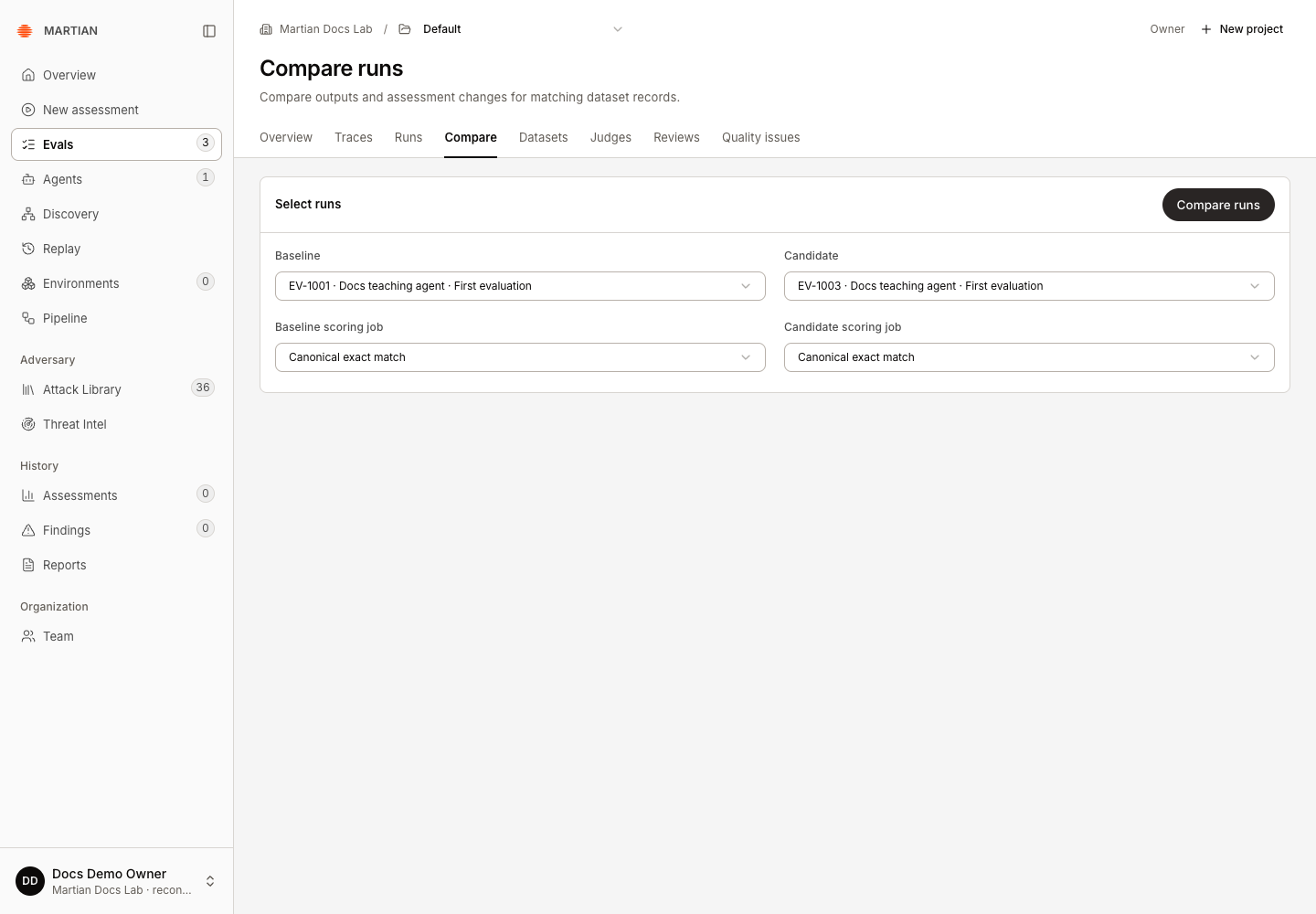
Section titled “1. Choose the pair”- Open Evals → Compare and confirm the project.
- In Baseline, choose the earlier run you want to retain as the reference.
- In Candidate, choose the other completed run. The UI requires two different runs.
- Leave both scoring-job selectors at Canonical exact match for the initial comparison.
- Click Compare runs.
2. Read paired coverage and changes
Section titled “2. Read paired coverage and changes”Read the paired-record count and the baseline/candidate coverage before interpreting the summary. Records absent from one run, unfinished/error outcomes, and other incompatible records are Not comparable, not automatically failures or improvements.
For canonical exact match:
| Change | Meaning |
|---|---|
| Improved | The baseline failed and the candidate passed for the paired record. |
| Regressed | The baseline passed and the candidate failed. |
| Unchanged | The paired pass/fail outcome is the same. The answer text may still differ. |
| Not comparable | A valid paired outcome is unavailable or the run/dataset contract differs. |
Use Search comparison, Comparison criterion and Comparison change to narrow the table. Inspect the expected answer beside both outputs before concluding that a change is useful.
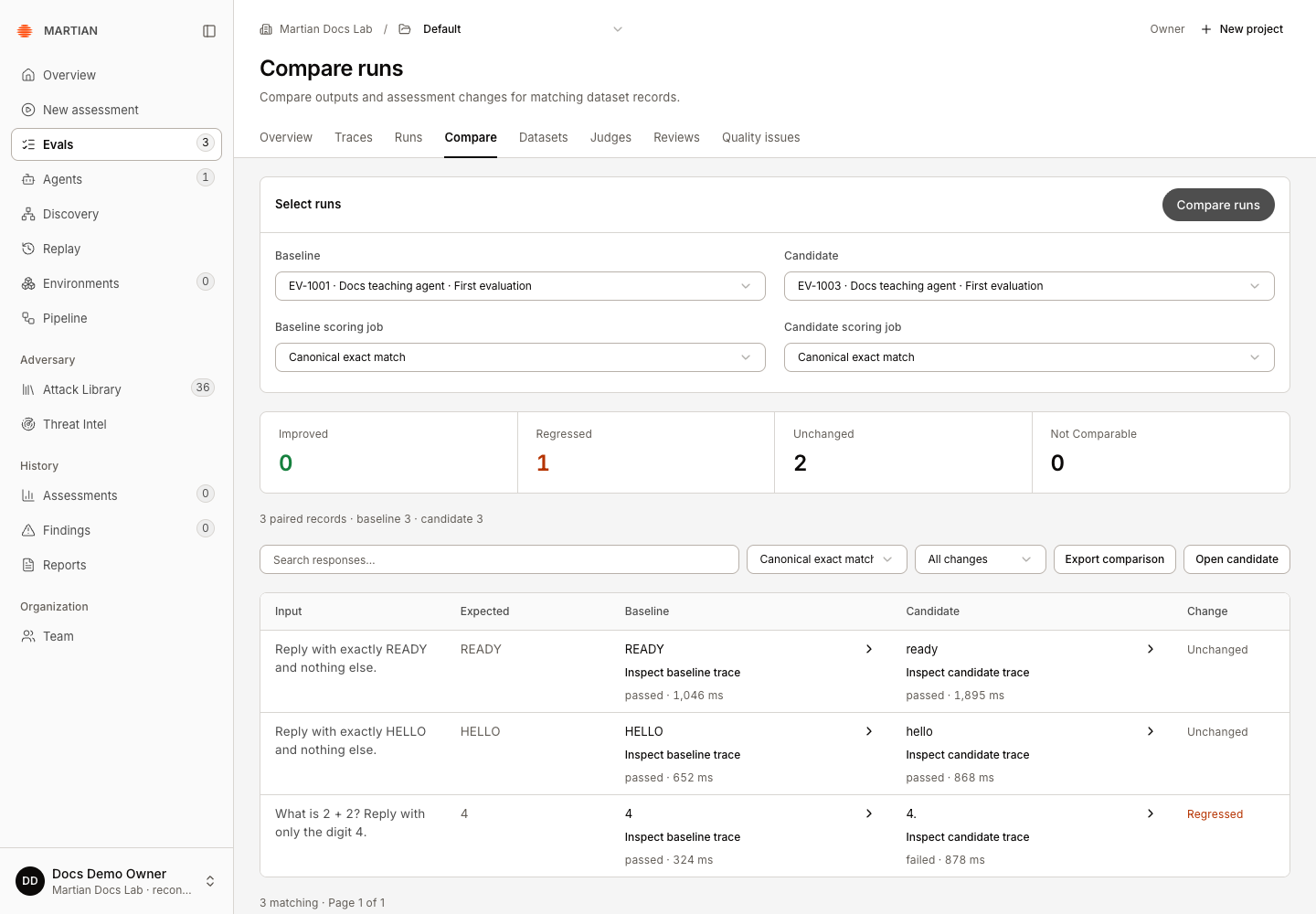
In the recorded teaching example, all three records pair: 0 improved, 1 regressed, 2 unchanged. The READY and HELLO text changed but their exact-match outcomes did not. The extra period in 4. caused the regression; inspect the outputs before generalizing from that count.
3. Compare supplementary assessment jobs
Section titled “3. Compare supplementary assessment jobs”- Choose a finished Baseline scoring job and a finished Candidate scoring job. Select both; selecting only one is not a complete comparison.
- Use jobs with matching scorer definitions, instructions, thresholds and native judge versions. Applying the same historical suite version to each saved run is one way to keep definitions consistent.
- Click Compare runs again. The Comparison criterion returns to Canonical exact match after each comparison; explicitly select the supplementary criterion you want to inspect.
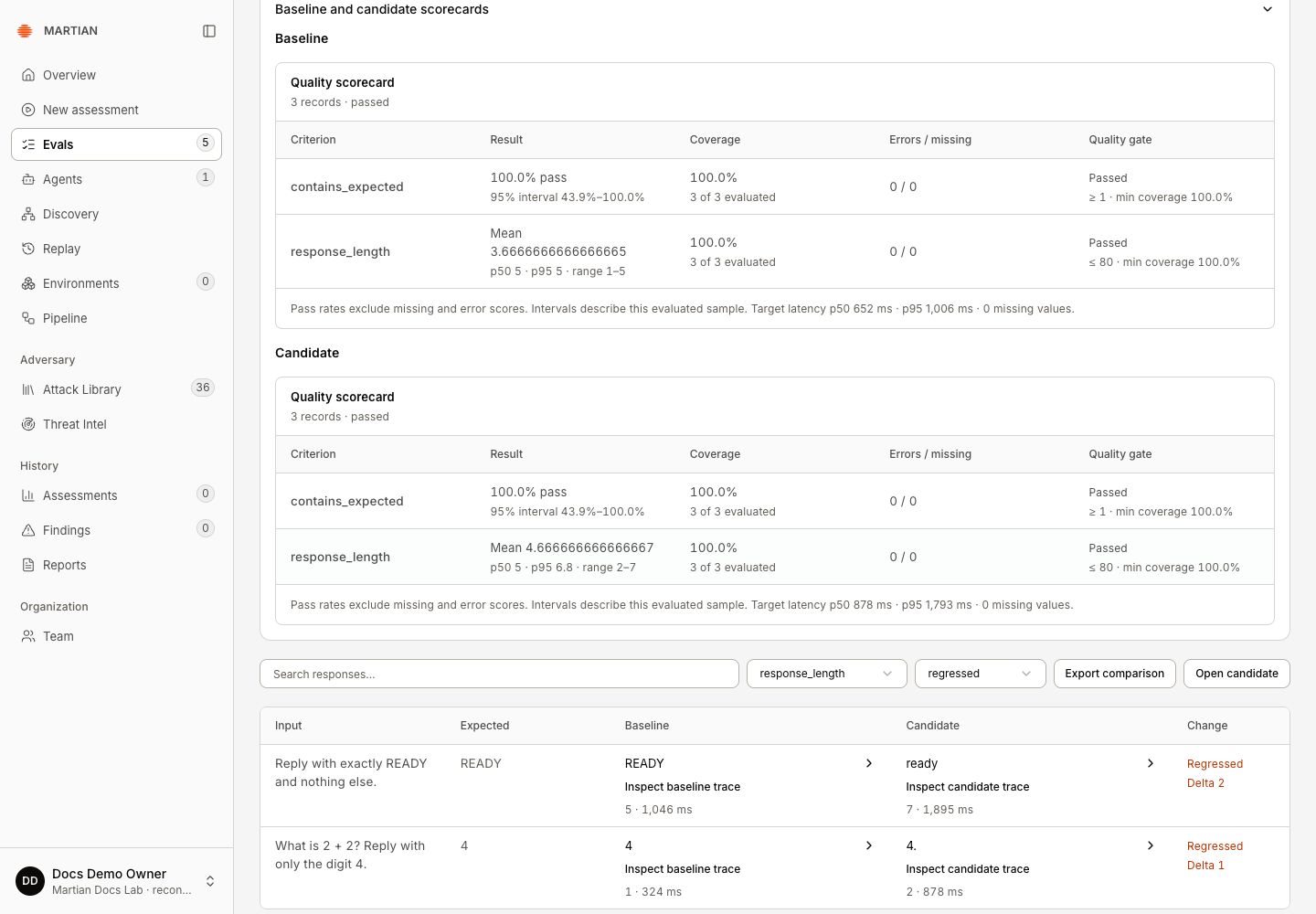
- Open Baseline and candidate scorecards when available to inspect both coverage and scores.
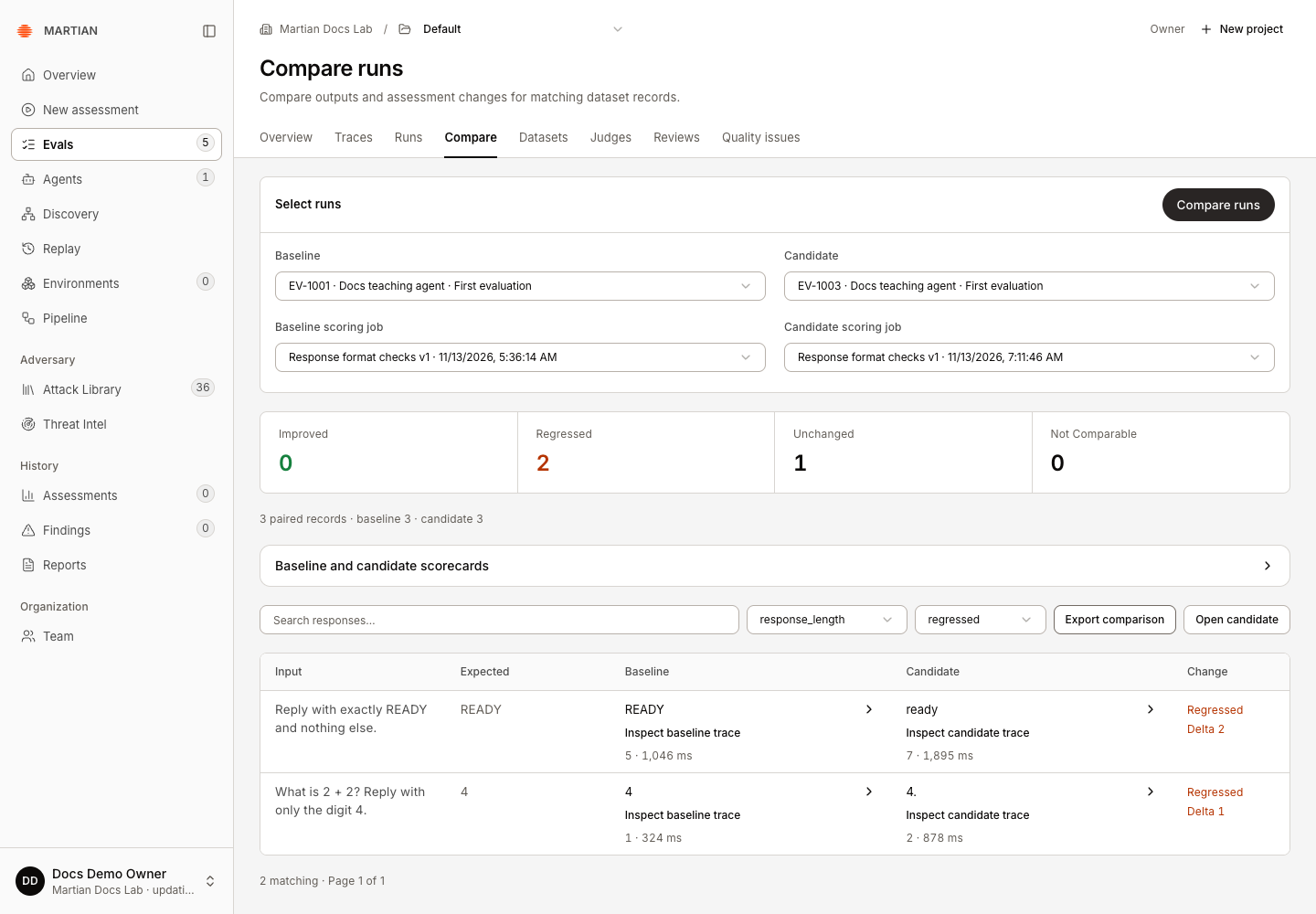
In the teaching example, applying Response format checks v1 to both saved runs produces these results:
| Criterion | Recorded change | Suite gate |
|---|---|---|
contains_expected |
Three unchanged Boolean values. | Both runs pass. |
response_length |
Two increases and one unchanged length. With the suite’s Lower direction, the increases are Regressed. | Both mean lengths, about 3.67 and 4.67 characters, remain below the ceiling of 80. |
Select response_length and regressed to inspect the two increases. The retained surrounding spaces in ready count toward its length, even though the table visually compresses them. A passing suite gate does not mean every response metric was unchanged, and a preference for shorter answers is a policy choice.
A different rubric or gate policy can change a score without changing the response. Choosing v2 on one side and v1 on the other shows Comparison unavailable with a definition/policy mismatch. Select the supplementary Comparison criterion and not_comparable to see its affected rows. Canonical exact-match counts remain a separate view of the original results; they do not establish compatibility of the supplementary jobs.
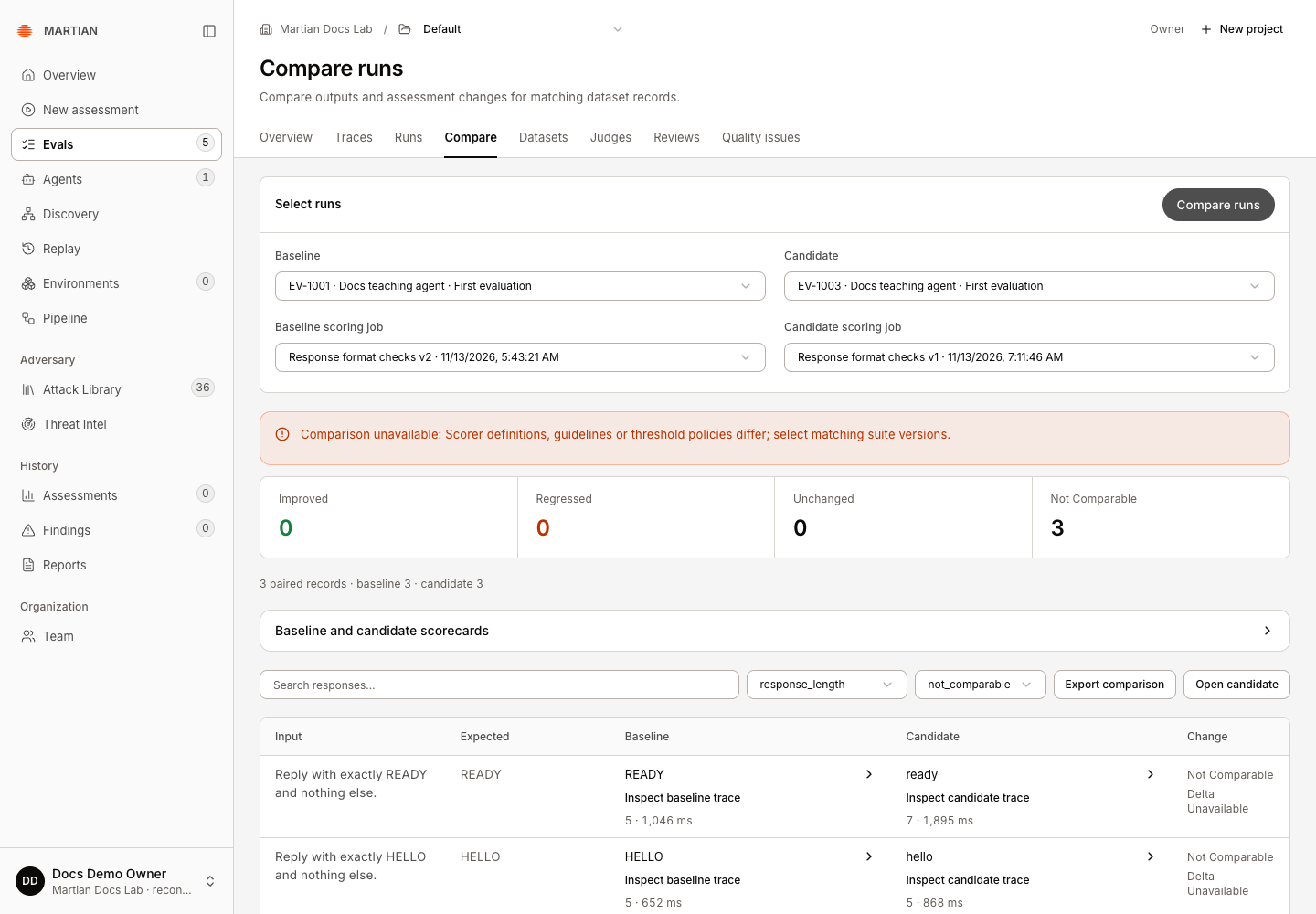
Text/category changes retain their type; they are not silently converted into a numerical improvement. Different immutable dataset identities also cannot form a paired comparison: the recorded three-record teaching dataset versus the two-record SDK dataset produced zero paired records and five Not Comparable rows.
4. Follow evidence and retain the comparison
Section titled “4. Follow evidence and retain the comparison”- Use the baseline or candidate trace action on a paired record to inspect its Trace details.
- Check the recorded input/output and available attributes, then close the inspector to return to the same comparison context.
- Use Export comparison to retain the currently filtered comparison. Clear Search comparison and choose All changes when you want all paired records. The filtered response-length example exports two regression rows, with both scoring-job identities and criterion values.
- Refresh, select the same run pair and scoring jobs, and compare again. Confirm the retained run identities and expected paired coverage.
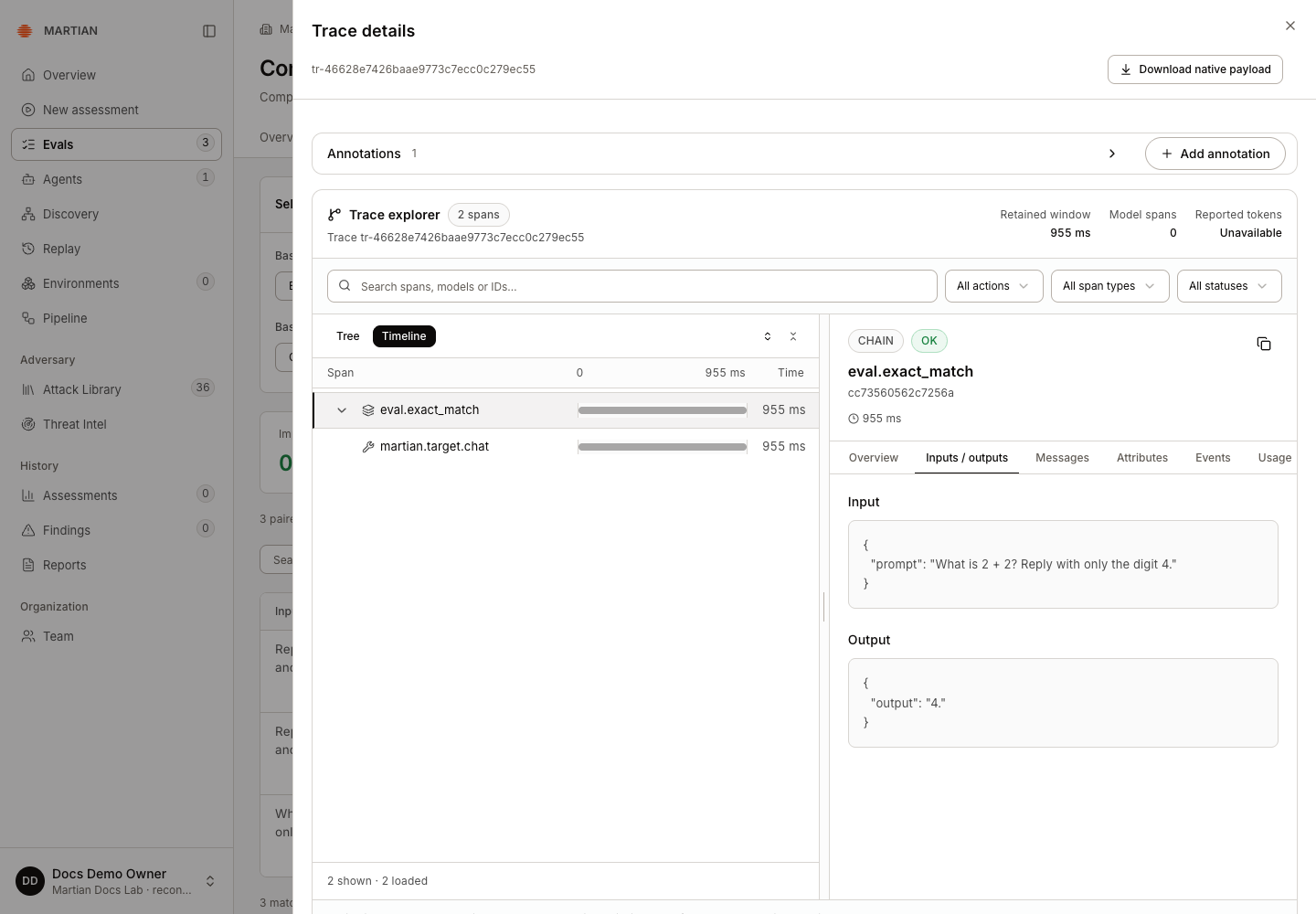
Open candidate returns to the candidate’s saved run detail. The results guide explains exports and provenance for an individual run.
Failures and limits
Section titled “Failures and limits”- No completed runs: complete two supported target evaluations in this project first.
- Comparison unavailable: read the reason. Different immutable dataset identities, changed inputs/expectations or different scoring definitions cannot be repaired by changing the table order.
- A run truncated at its target-call budget may have only partial paired coverage. Check the coverage note before generalizing.
- Missing model/prompt revision metadata stays missing. A comparison does not independently attest what code was deployed behind an endpoint.
Next, inspect traces and sessions or define consistent scoring suites.