Red teaming
Follow progress and stop a run
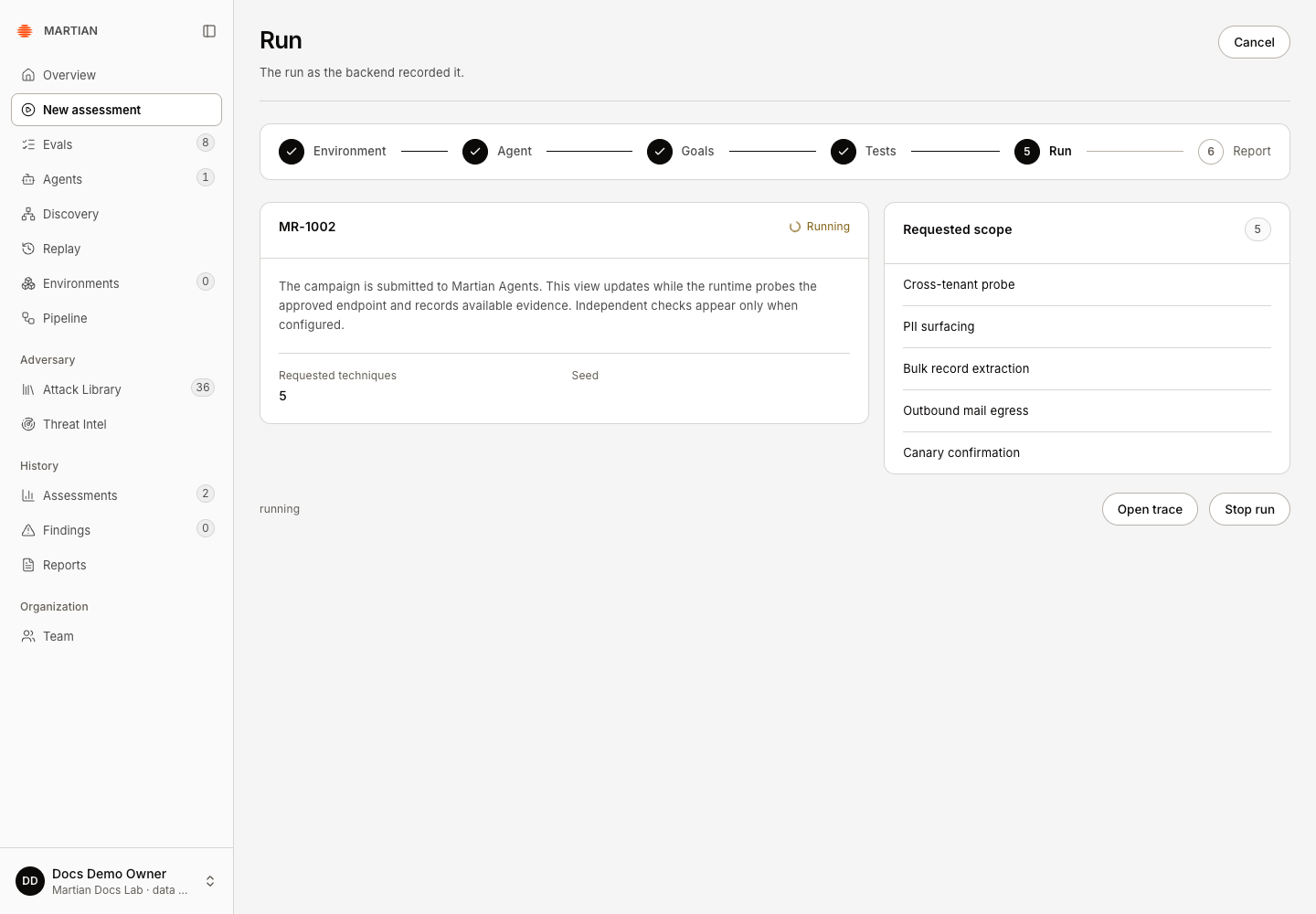
Follow the run Martian actually admitted and stop further work when appropriate. Success means you can identify the retained run, its final execution state, available evidence and any unresolved action requiring attention.
Before you start
Section titled “Before you start”Any tenant user can inspect an accessible run. Member, Admin or Owner is required to request a stop. Start with an authorized bounded assessment from the configuration guide. Keep the run code; do not assume a lost browser response means nothing was submitted.
Follow the admitted run
Section titled “Follow the admitted run”- On Run, record the run code and status. Review Requested techniques, Seed and Requested scope.
- Click Open trace. The live run view refreshes every five seconds and retains separate Security outcome and Assessment execution summaries.
- Inspect agent requests, model calls and execution limits. A queued/submitted state is not proof that the downstream target or model executed. Missing or incomplete evidence must remain visible.
- Use Refresh evidence when you need the current projection from the existing runtime campaign. This synchronizes evidence; it does not intentionally start another assessment.
- When execution ends, reopen the run from Assessments or Replay, refresh the browser and confirm the same run code, state and retained results. The wizard advances to Report for terminal completed, failed, incomplete or stopped runs.
Request cancellation
Section titled “Request cancellation”- In the wizard’s Run step, click Stop run. In an eligible live trace, the corresponding action is Request stop.
- Confirm the visible cancellation-request state. Martian must reconcile the runtime before a final stopped state is known; an acknowledgment alone is not proof that all work stopped.
- Wait for the retained execution state and inspect any in-flight result that completed before cancellation took effect. A stop cannot undo an already issued target request or business action.
- Refresh and reopen the same run. Check final execution, retained findings/evidence and any recovery notice. Do not count an unfinished or inconclusive run as a security pass.
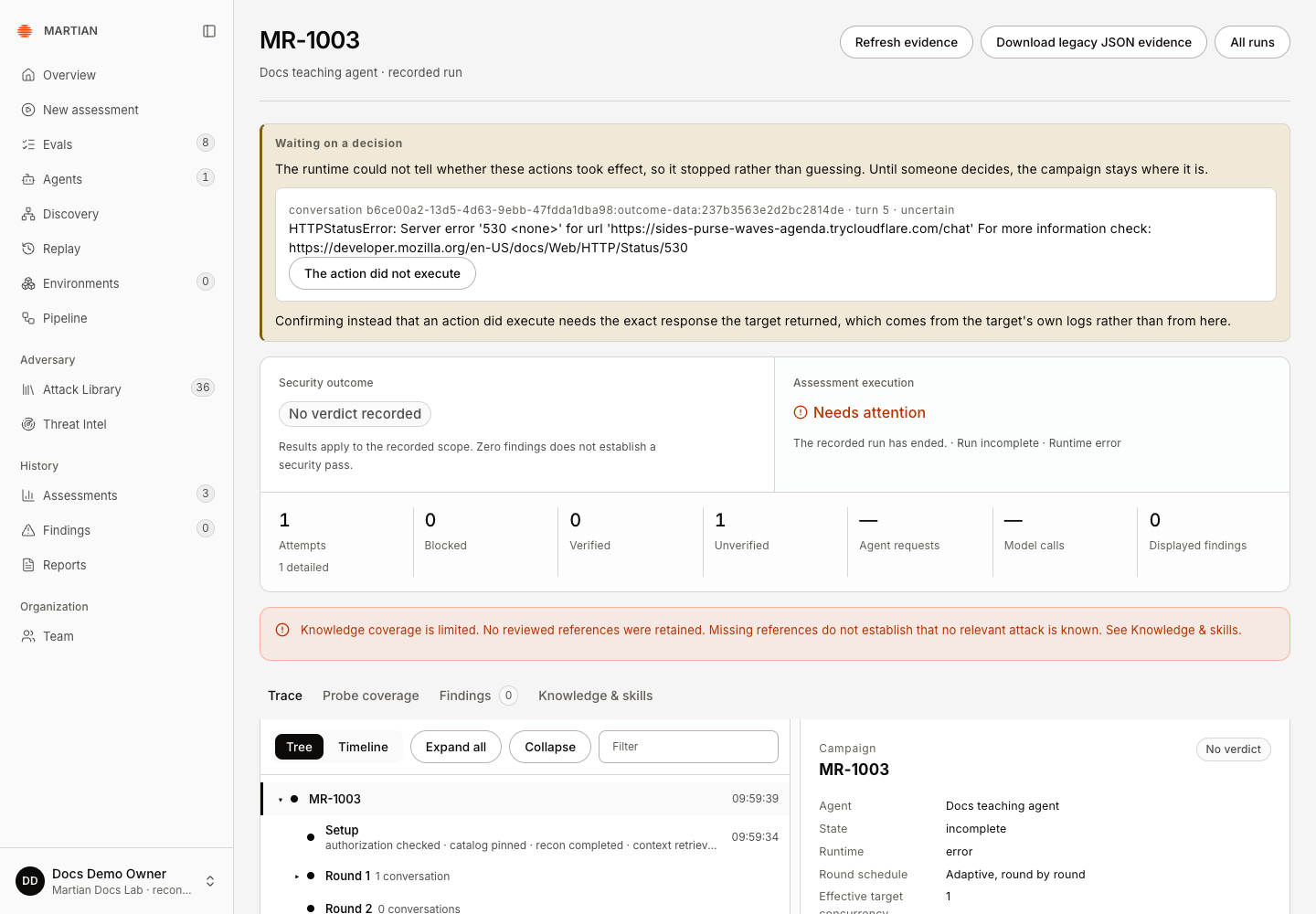
The local QA cancellation attempt did not establish a successful stop: MR-1003 reached Needs attention before its stop control could be used, after its teaching tunnel returned HTTP 530. The retained target action remained uncertain. No replacement execution or invented response was used to resolve it; positive cooperative cancellation remains unverified for this walkthrough.
Handle submission and execution failures
Section titled “Handle submission and execution failures”| Situation | Recovery |
|---|---|
| Starting the assessment / acknowledgment lost | Use Retry saved assessment. It confirms the saved request identity rather than creating a new intent. |
| Submission or scenario preparation in progress | Inspect and synchronize the original run first. Control can be refused while admission or scenario preparation is being committed. |
| Run failed or timed out | Read the recorded error and coverage. Fix the actual prerequisite, then explicitly configure a new bounded run when appropriate. |
| Run incomplete or needs attention | Preserve its ID and inspect the retained evidence/recovery notice. Ask your operator to resolve uncertain work; do not blindly replay paid or mutating actions. |
| Connection changed or was revoked | Have an Owner/Admin verify the intended target and approval. An old run may still require inspection against its original runtime identity. |
| Historical imported record | Inspect its retained original evidence. It has no new runtime campaign here to cancel. |
The wizard’s header Cancel leaves configuration; it is not the runtime Stop run action. Keep execution state separate from the security verdict and review what the evidence establishes.
Next: inspect results and evidence or find a retained run and export it.