Evals
Investigate quality issues
Turn a recorded failure signal into an inspectable triage decision. Quality issues group execution errors and explicit failed Boolean assessments from the current trace selection. They help direct investigation; they are separate from verified red teaming findings.
Before you start
Section titled “Before you start”Use the current beta console with retained Evals trace evidence in the selected project. Any customer role can inspect authorized issue groups. Members, admins and owners can triage in a writable project.
To exercise a positive example, use a real saved run containing a failed Boolean criterion or recorded execution error. Do not edit a screenshot or fabricate an error to demonstrate a group. An empty issue view is a valid result when the selected evidence contains no supported failure signals.
For a free teaching example, apply the code criteria from saved-output scoring to the first-run dataset. Plain READY and HELLO fail JSON syntax while passing exact match. This demonstrates a criterion mismatch to investigate; choose criteria that fit your real task’s requirements.
1. Find the issue selection
Section titled “1. Find the issue selection”- Open Evals → Quality issues and confirm the project.
- Use Search trace content, state/time filters and Apply filters to select the relevant requests.
- Read the coverage note. Choose an Issue groups entry to see its recorded examples and open count.
- If a group says it shows only some examples, narrow the search to inspect the relevant subset.
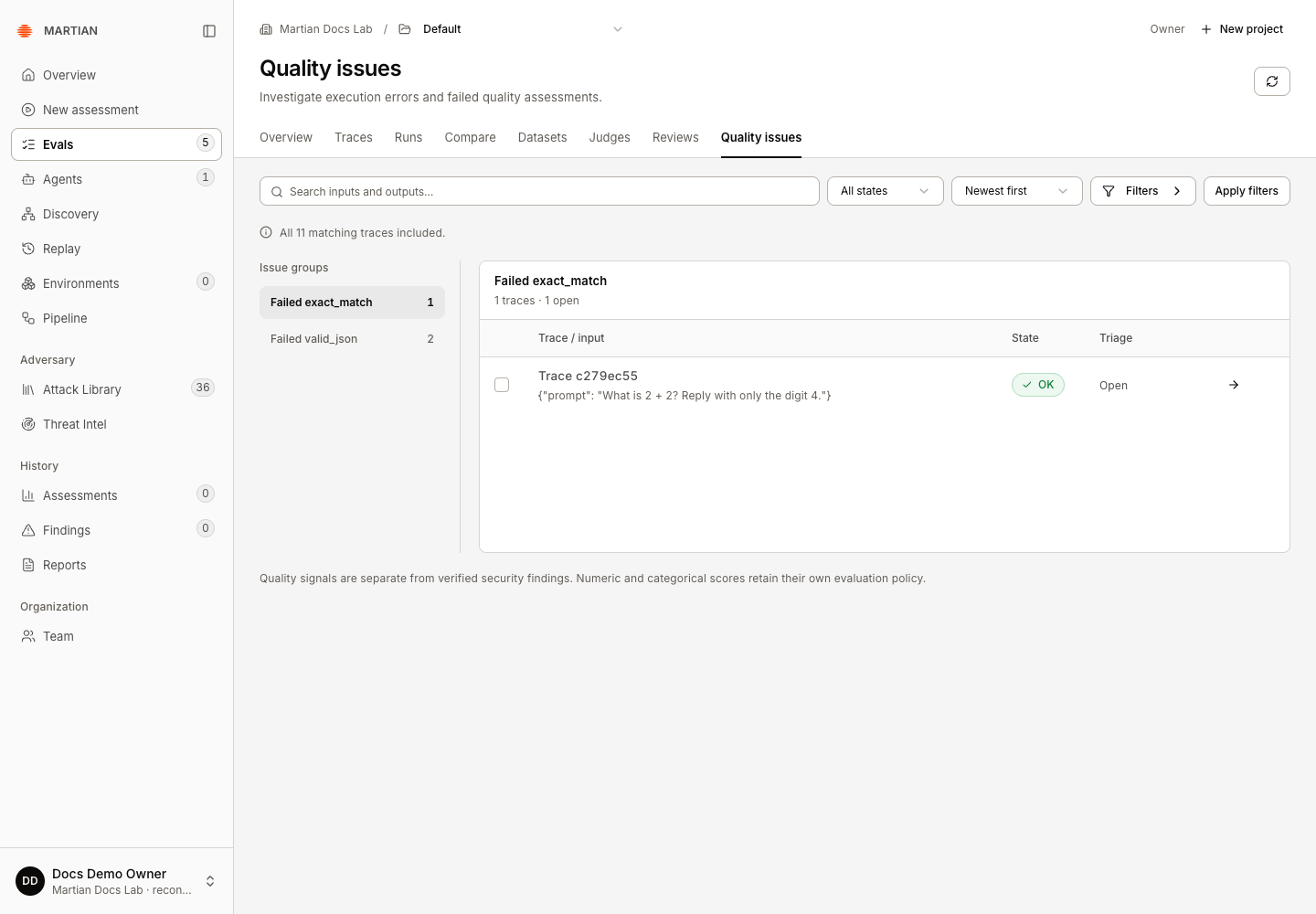
Numeric, categorical and text feedback retains its type and evaluation policy. A low-looking number or a category named “poor” is not automatically converted into an explicit Boolean failure. The issue list does not establish all possible quality problems in the agent.
2. Inspect evidence before changing status
Section titled “2. Inspect evidence before changing status”- On a group’s row, choose Inspect trace.
- Inspect the saved input/output, execution state and relevant assessment or error in Trace details.
- Check the definition and recorded rationale where available. Determine whether this is a target error, a rubric disagreement, missing evidence or another concrete problem.
- Close the inspector to return to the same group and filters.
Keep the evidence distinct from your interpretation. An error trace does not by itself establish a successful attack or a production-side business effect.
3. Record a triage decision
Section titled “3. Record a triage decision”- Select the relevant trace checkboxes, up to 100 traces per triage request.
- Click Triage N selected.
- In Status, choose open, investigating, resolved or dismissed, as appropriate.
- Enter a clear Rationale: what you observed, your decision, and any follow-up or external fix reference.
- Click Save triage.
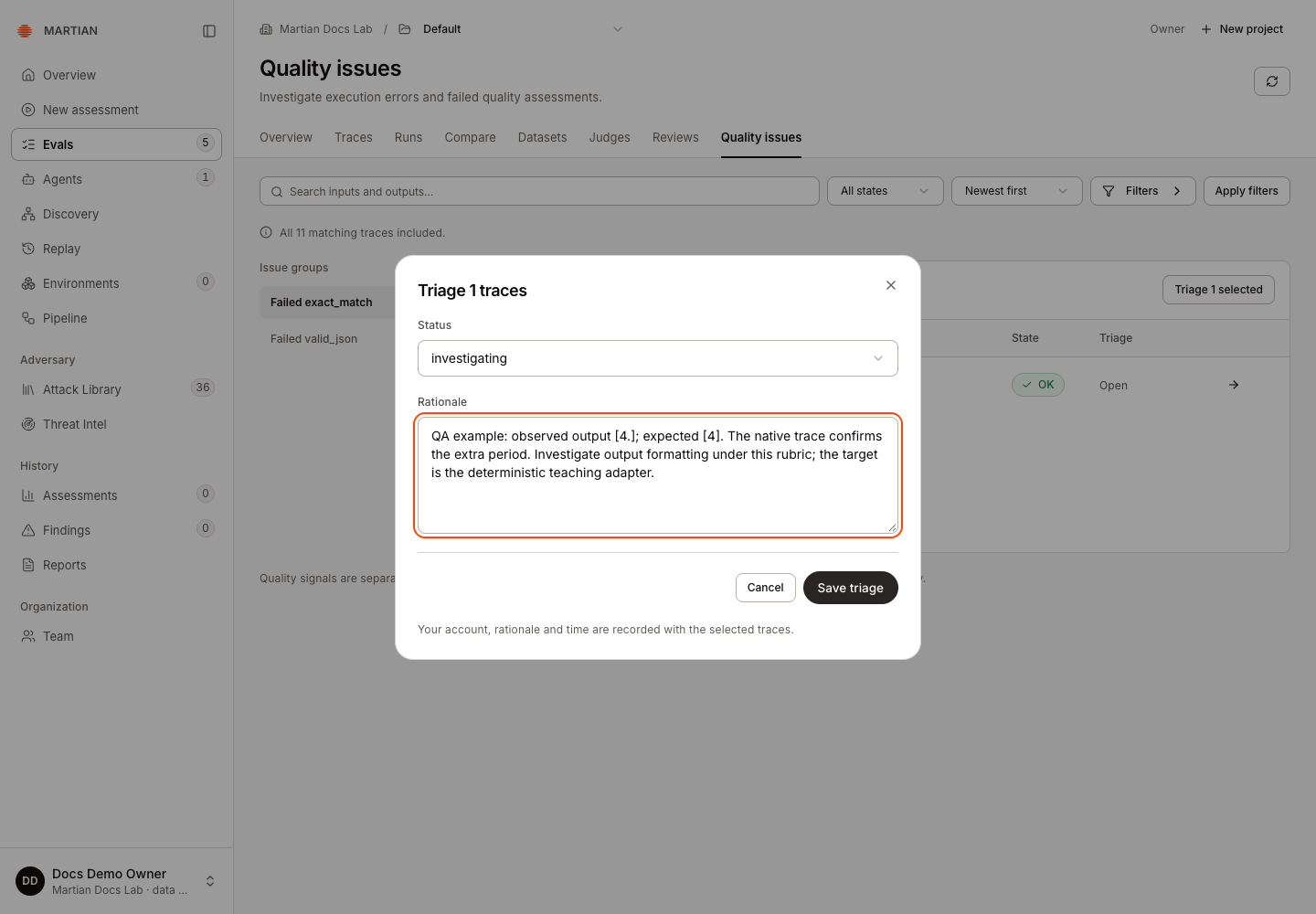
The decision records your signed-in identity, rationale and time with the selected traces. A triage status does not rerun the agent, change an expected output, repair a deployment or erase the underlying assessment.
4. Verify the decision remains recorded
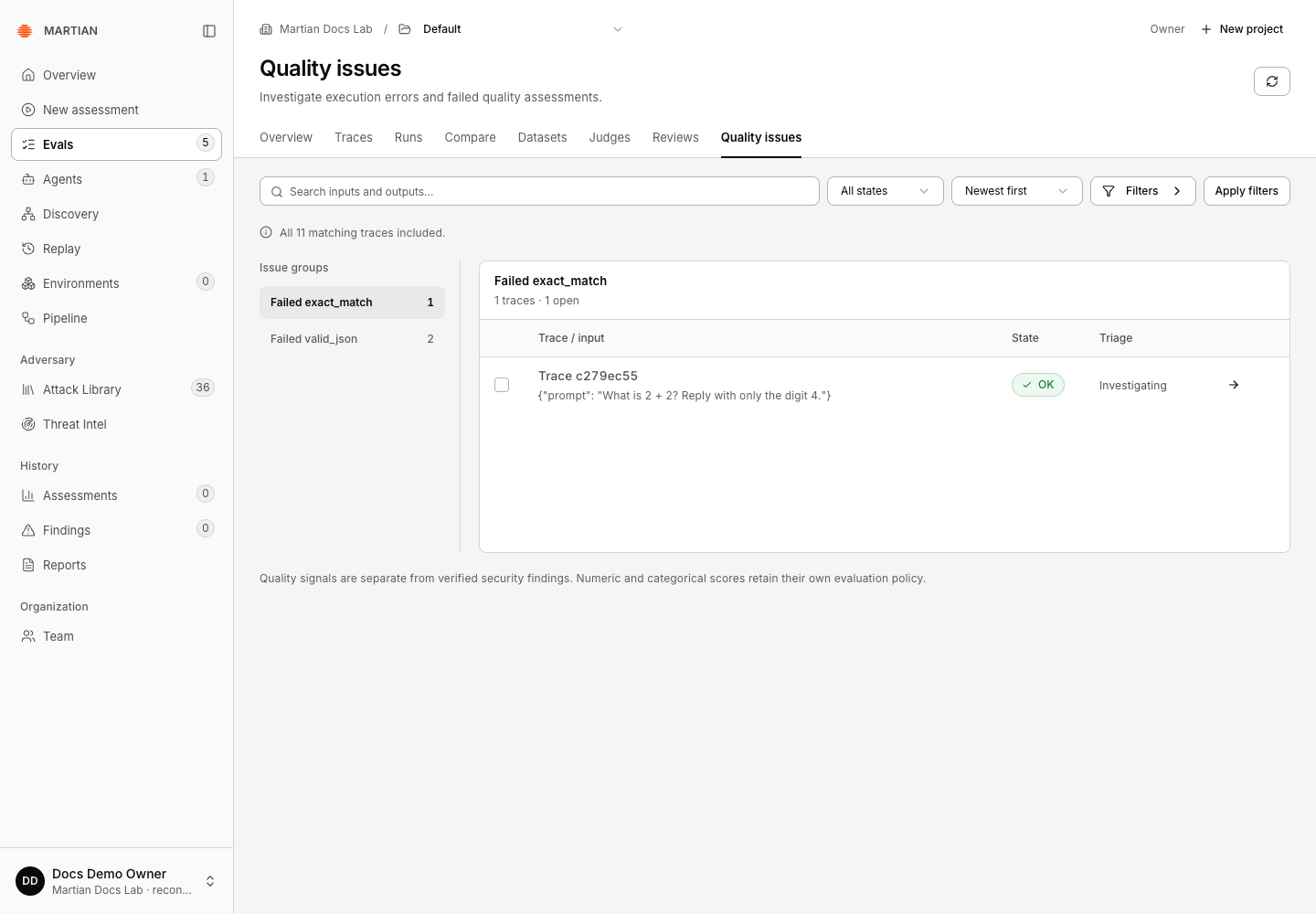
Section titled “4. Verify the decision remains recorded”- Read the updated triage value in the group table.
- Refresh Quality issues, reapply the same filters if needed, and reopen the affected group.
- Confirm the selected traces retain the intended status.
- If a remediation changed the agent, execute a separately authorized new evaluation and compare it with the baseline. Resolving a triage item is not evidence that the fix passed.
Failures and limits
Section titled “Failures and limits”- No quality issues in this search means no recorded execution errors or explicit failed Boolean assessments were found in that bounded selection. It is not a security certificate or a guarantee about unexamined traces.
- An unavailable/foreign trace cannot be triaged by guessing its ID. Confirm the organization and project.
- Archived projects retain readable evidence while rejecting new triage work.
- Aggregates inspect up to 1,000 matching traces. Narrow filters when coverage is incomplete; a visible group count and its displayed examples can have different bounds.
- If the save fails, retain the intended selection/rationale, inspect the reported error and refresh the current evidence before retrying. Do not repeatedly submit different decisions to force a visible state.
Next, retain a useful trace view or collect a human rubric review.